

As organizations expand their use of AI and manage increasingly complex digital environments, maintaining visibility, governance, and operational resilience has never been more important. The latest updates to the AvePoint Confidence Platform introduce new capabilities to continuously understand data sensitivity and risk, govern AI agents, accelerate recovery across critical workloads, automate compliance processes, and simplify management across Microsoft 365 and multicloud environments.
From enhanced AI oversight and dynamic data classification to faster recovery workflows and expanded protection for business-critical applications, these innovations help organizations stay secure, compliant, and in control, reducing administrative overhead while maximizing digital trust.
Explore the latest innovations across the AvePoint Confidence Platform below, or jump directly to the updates most relevant to your organization.
- Command Centers
- Adoption Analytics
- Backup and Recovery
- Data Governance
- Data Migration
- Information Lifecycle Management
- Access and Workflow Management
- Policies and Insights
Learn more about the latest AvePoint Confidence Platform innovations on our webinar series.
AI Governance and Agent Management
The new Command Center enhancements help organizations gain continuous visibility into AI agents, monitor adoption trends, identify governance gaps, and better understand how AI is being used across the business.
AgentPulse expands visibility into AI agents by helping organizations discover what agents exist, who owns them, how they are being used, and where governance gaps may exist. New reporting and benchmarking capabilities make it easier to identify unmanaged agents, compare adoption trends, and investigate usage patterns, helping teams govern AI at scale with greater confidence.
Adoption Analytics
What’s New in AvePoint tyGraph?
New site details capabilities provide greater visibility into how AI agents interact with SharePoint content. Administrators can identify which agents are accessing specific sites, monitor activity trends over time, and review the files agents have accessed. These insights help organizations understand how AI interacts with business-critical content, support governance initiatives, and identify potential exposure risks earlier.
Backup and Recovery
New Backup & Recovery capabilities help organizations strengthen cyber resilience, improve visibility into protected workloads, and accelerate recovery across Microsoft 365, SaaS applications, cloud infrastructure, and business-critical services.
What’s New in Cloud Backup for Microsoft 365?
When disruptions occur, organizations need to recover critical data quickly. The new Rapid Recovery System streamlines disaster recovery with intelligent recommendations and guided recovery workflows that help teams prioritize essential business data first. By sequencing recovery around the most critical data, organizations can reduce manual triage, minimize downtime, and return users to productivity faster.
Smart Recommendations help strengthen recovery readiness by automatically identifying high-priority sites based on activity, growth, size, and sensitivity. By providing greater visibility into critical business data, these insights help organizations prioritize recovery efforts and restore the information that matters most first.
External sharing recovery for SharePoint helps maintain collaboration after a restore. Original external sharing settings are preserved, and previously invited external users are automatically reconnected, eliminating the need for manual reconfiguration and helping ensure business continuity.
What’s new in Cloud Backup for Salesforce?
With field-level restore control, administrators can restore specific fields directly from Compare results instead of recovering an entire record. This targeted approach helps correct unwanted changes while preserving valid updates, reducing recovery risk, and simplifying data correction.
What’s New in Cloud Backup for IaaS + PaaS?
Cloud Backup for IaaS + PaaS expands protection and visibility across identity and cloud infrastructure environments. Expanded Entra ID compare now supports App Registrations and Enterprise Applications, providing a more complete view of identities and configurations. The new Entra ID module centralizes identity protection and management, simplifying administration while preserving existing configurations.
With IaaS & PaaS Discovery, teams can gain visibility into cloud infrastructure across Azure, AWS, and Google Cloud, identify protected and unprotected resources, and generate reports to support planning, protection, and resilience initiatives.
Support for Azure Kubernetes Service (AKS) backup protection adds automated, snapshot-based backups for Kubernetes configurations and persistent data. Stateful applications can be restored in place or across clusters, helping reduce downtime and simplify recovery.
What’s New in Cloud Backup for SaaS Applications?
Cloud Backup for SaaS Applications expands protection for business-critical platforms while giving organizations greater flexibility in how backup data is stored and managed.
Organizations can now choose Amazon S3 as their default backup storage location, providing greater control over storage strategies while maintaining the same backup and recovery experience.
Support for Jira Product Discovery and Trello extends backup and recovery coverage to critical product planning and collaboration data. Organizations can restore Jira Ideas, Insights, and Views, as well as Trello Workspaces, cards, comments, attachments, and custom fields, helping preserve business context and reduce disruption when data loss occurs.
New ServiceNow ITSM support helps safeguard critical operational data, including incidents, requests, knowledge articles, users, groups, and configuration records. Expanded GitHub recovery coverage helps protect repositories and key configurations such as Projects, security settings, branch protection rules, permissions, Wikis, and Git Large File Storage (LFS), reducing manual effort and accelerating recovery when issues arise.
What’s New in Cloud Backup for Dynamics 365?
Smarter environment discovery and onboarding enhancements help administrators identify and connect Dynamics 365 environments more efficiently, reducing setup complexity and accelerating time to protection.
What’s New in ReCenter?
Flexible data restore gives users more control over how data is recovered. Managers and end users can now restore Exchange and OneDrive content to their own account instead of the original location, making it easier to review and recover data without affecting existing content. This added flexibility helps users retrieve the information they need while reducing the risk of overwriting active data.
Data Governance
New data governance capabilities help organizations automate lifecycle management, strengthen accountability, and simplify the administration of Microsoft 365 resources while maintaining compliance at scale.
What’s New in AvePoint Cloud Governance?
Cloud Governance expands automation, lifecycle management, and governance controls across Microsoft 365, helping organizations maintain compliance while reducing administrative effort.
Automate Lifecycle Management and Ownership Accountability
New capabilities help organizations govern business-critical resources throughout their lifecycle. Automated Enterprise App Renewal streamlines Entra ID application governance by combining scheduled workflows with automated MyHub outreach to validate contacts and metadata, reducing manual oversight while supporting compliance. Additional enhancements for mail contact lifecycle governance and contact election and renewal for Confide projects help organizations maintain accurate ownership records and automate renewal processes.
Strengthen Governance Through Automated Controls
Governance capabilities continue to expand with support for desktop flow governance for Power Automate, helping organizations manage business-critical automations with greater oversight. New standard channel provisioning also allows employees to request standard Teams channels through Dynamic Services while ensuring organizational policies and governance requirements are consistently enforced.
Standardize Resource Provisioning at Scale
New provisioning enhancements help organizations create more consistent Microsoft 365 environments. Dynamic metadata provisioning automatically applies metadata during the creation of Teams, Sites, and Groups, improving governance and consistency from day one. List templates further simplify SharePoint administration by enabling standardized list creation through reusable provisioning templates.
Improve User Communication and Adoption
With branded digest emails, organizations can customize governance notifications with their own branding, messaging, and internal guidance. This creates a more familiar user experience while helping increase engagement with governance and lifecycle management processes.
What’s New in MyHub?
MyHub expands visibility and self-service governance across Microsoft 365 resources, helping administrators and workspace owners manage resources, reduce remediation effort, and simplify hybrid administration.
Loop Workspace governance introduces visibility into Microsoft Loop workspaces through the MyHub Space report, allowing workspace owners and Cloud Governance contacts to view details, manage access, update settings, and take lifecycle actions from a centralized experience.
To help teams focus on meaningful risks, false positive tagging allows users to quickly dismiss irrelevant findings directly from MyHub Space details and OneDrive assessments. This helps reduce noise and streamline remediation efforts.
MyHub also enhances hybrid management with On-Premises group visibility and hybrid group membership support. Administrators and owners can view distribution group details, manage memberships and ownership, and update settings directly within MyHub, improving visibility across both cloud and on-premises environments.
In addition, improved administrative access simplifies navigation by providing direct links to the Cloud Governance portal and MyHub Admin Portal, helping administrators access key management features more efficiently.
Data Migration
What’s New in AvePoint Fly?
AvePoint Fly continues to simplify complex migration scenarios with new capabilities for endpoint management, messaging modernization, and cross-platform collaboration migration. Mobile device migration helps manage the transition of iOS and Android devices across Microsoft Intune tenants by retiring corporate profiles, guiding users through re-enrollment, and automatically assigning devices to target groups and administrative units to maintain a seamless user experience.
To help prepare for Microsoft's upcoming Exchange Web Services (EWS) retirement, Fly now uses Microsoft Graph API by default for Exchange Online mailbox migrations. This update supports a wide range of migration scenarios and provides administrators with the flexibility to configure alternative API modes when needed.
Fly also expands migration support with Google Chat Spaces to Microsoft Teams migration, enabling organizations to move conversation history, file attachments, and member permissions directly into Microsoft Teams channels. This helps preserve collaboration context and streamline transitions from Google Workspace to Microsoft 365.
Information Lifecycle Management
What’s New in AvePoint Opus?
AvePoint Opus introduces new capabilities that help organizations accelerate governance framework creation, improve reporting, and strengthen records management.
Now generally available, AI Recommendations helps organizations build and maintain governance frameworks more efficiently by analyzing industry, regulatory, and location-specific requirements to suggest relevant classifications, retention rules, policies, and terms.
Opus data insights allows organizations to generate and export indexed Opus data directly to SharePoint Online libraries, making it easier to support Power BI reporting and analytics workflows without relying on manual exports.
File Share Discovery capabilities extend Discovery and Analysis to on-premises file shares, helping organizations uncover sensitive, stale, and redundant content across legacy repositories. By bringing file share data into a unified governance experience, organizations gain greater visibility into dark data and can make more informed archiving, migration, and lifecycle management decisions.
The link related records feature enables users to connect electronic records in SharePoint On-Premises with physical records stored in Opus for more consistent management and disposition. Enhanced disposal hold management capabilities provide greater oversight through hold expiration notifications, reporting enhancements, and additional controls to support audits, investigations, and legal review.
Plus, smart workspace exclusion capabilities allow organizations to exclude sensitive workspaces from Discovery and Analysis scans, helping reduce noise, conserve resources, and keep reporting focused on relevant content.
Access and Workflow Management
What’s New in AvePoint EnPower?
AvePoint EnPower expands AI lifecycle management with new capabilities for agent ownership, renewal management, compliance reporting, and automated governance workflows.
Agent timeline reports provide visibility into renewal timelines for Microsoft agents across Azure AI Foundry, SharePoint, and Microsoft 365, helping organizations track ownership and renewal activity more effectively while supporting audit and compliance requirements.
Administrators can now take action directly within EnPower using manual agent renewal and manual contact election. These capabilities allow teams to trigger renewals, enrich metadata, and initiate ownership assignment workflows while maintaining accountability and audit visibility throughout the process.
Automated agent governance introduces dynamic workflows for AI agents that automate ownership, compliance, and lifecycle actions across SharePoint, Microsoft 365, and Azure AI Foundry. Organizations can use activity-based, scheduled, or manually triggered workflows to enforce governance policies consistently at scale.
Policies and Insights
What’s new in AvePoint Policies for Microsoft 365?
New policy enhancements help organizations enforce ownership, accountability, and governance standards across AI agents and collaboration environments.
Agent ownership governance helps organizations enforce accountability for AI agents through policy-driven ownership rules. Administrators can identify agents without an active owner, review ownership gaps, and take action to ensure agents remain governed and compliant throughout their lifecycle.
Channel ownership enforcement extends governance controls to private and shared Teams channels. By inheriting parent team settings or applying channel-specific restrictions, organizations can maintain consistent ownership and governance across collaboration spaces.
Content-level filter conditions provide more granular policy targeting through file type-based conditions for SharePoint content. This added flexibility helps organizations apply governance controls more precisely and reduce unnecessary policy scope.
What’s New in AvePoint Insights?
New Insights capabilities help organizations discover AI agents, understand potential risks, and monitor sensitive data exposure across Microsoft 365.
Microsoft 365 agent insights provides a centralized view to discover, monitor Microsoft 365 agents. Enhanced dashboards, reporting, filters, and activity insights help organizations track agent risk, sensitivity, exposure, and usage while identifying high-risk, inactive, or ownerless agents. Administrators can also manage permissions, knowledge sources, and lifecycle actions from a single experience to improve governance and oversight.
Granular data risk control adds more precise agent governance by defining risk based on specific sensitive data types rather than relying only on labels or sensitivity levels. This approach helps reduce false positives and improve visibility into data exposure risks, better aligning agent governance with modern Microsoft 365 data protection practices.
Learn More About These Updates
AvePoint Learn
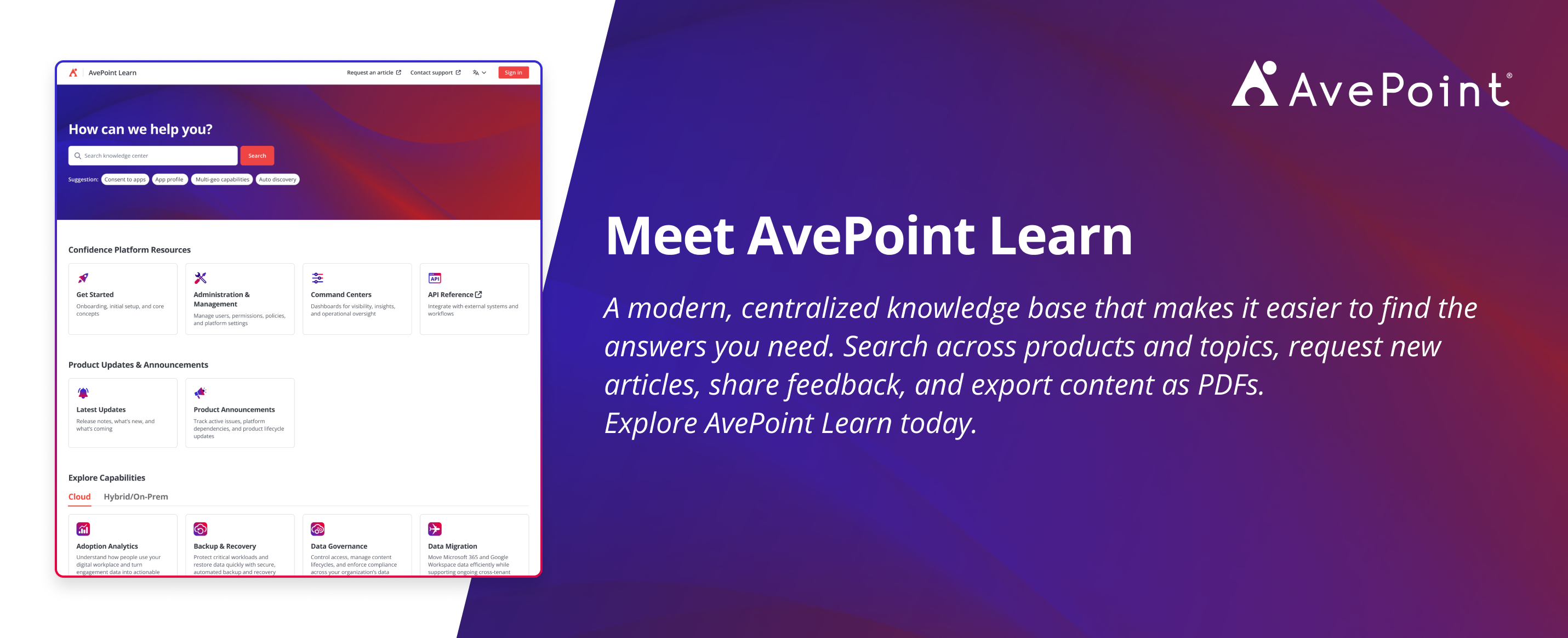
Ready to explore these capabilities in more detail? Visit AvePoint Learn for product documentation, release notes, implementation guidance, and best practices across the AvePoint Confidence Platform.

Esther is AvePoint's Director of Technical Writing, with a specialization in communicating product updates and platform updates.