

Key Takeaways
- Cloud migration moves data, applications, and workloads from on-premises or legacy environments to cloud services.
- The 7 Rs help organizations decide whether to rehost, relocate, replatform, refactor, repurchase, retire, or retain each workload.
- A phased migration process connects discovery and planning with execution, validation, and ongoing governance.
- Cloud providers secure the underlying platform, while customers remain responsible for areas such as data, identities, access, and configurations.
- Early discovery, realistic planning, tested recovery procedures, and clear ownership can reduce common migration risks.
- AI can support selected migration activities, but teams should validate outputs and retain human approval for critical decisions.
- AvePoint supports digital workplace migration and helps organizations govern, protect, and build resilience in the destination.
Cloud migration is a business transformation decision, not simply an infrastructure move. With the right strategy, organizations can improve scalability, operational resilience, cost visibility, and readiness for AI-driven initiatives. Achieving these outcomes involves more than moving workloads to a new environment. It requires clear business objectives, disciplined execution, and governance that protects data throughout the transition.
What Is Cloud Migration?
Cloud migration is the process of moving data, applications, and workloads from on-premises or legacy systems to cloud infrastructure and services, such as Microsoft Azure, Amazon Web Services, or Google Cloud.
Organizations migrate to the cloud to improve scalability, strengthen resilience, modernize applications, and gain access to cloud-based analytics and AI services. Achieving these outcomes requires a cloud migration strategy that aligns technical decisions with business requirements, security priorities, and governance policies.
Cloud migration is related to, but distinct from, cloud adoption and digital transformation. Cloud adoption describes the broader use of cloud services. Digital transformation can involve redesigning business processes, operating models, and customer experiences.
How Cloud Migration Works
Cloud migration connects a source environment with a target cloud environment. The source might be an on-premises data center, a legacy platform, another cloud provider, or a separate Microsoft 365 tenant.
The core activities generally include:
- Discovering applications, data, and infrastructure
- Mapping dependencies between systems
- Classifying data and identifying security requirements
- Selecting a migration strategy
- Transferring data and workloads
- Validating the destination
- Cutting over users and services
- Governing and optimizing the new environment
Migrations can include full data center moves, hybrid architectures, cloud-to-cloud transitions, tenant-to-tenant consolidations, and projects involving email, files, or collaboration platforms.
Why Organizations Migrate to the Cloud
Organizations migrate to the cloud to support scalability, resilience, application modernization, and faster access to analytics and AI services.
The connection between cloud infrastructure and AI is becoming more significant. Gartner predicts that 50% of cloud compute resources will be devoted to AI workloads by 2029, up from less than 10% when the forecast was published.
Moving to the cloud does not automatically deliver business value. Organizations still need to determine which workloads should move, how each workload should be migrated, and how the destination will be secured and governed.
The 7 Types of Cloud Migration
The seven types of cloud migration, commonly known as the 7 Rs, are rehost, relocate, replatform, refactor, repurchase, retire, and retain.
Each strategy represents a different approach to a workload. The right choice depends on the application’s architecture, business value, dependencies, security requirements, and modernization goals.
The 7 Rs of Cloud Migration
- Rehost: Move an application to infrastructure as a service with minimal changes. This approach is often called lift and shift
- Relocate: Move virtual machines at the hypervisor level without changing the applications or operating systems
- Replatform: Make selected optimizations without completely redesigning the application
- Refactor: Redesign an application to use cloud-native architectures, managed services, or microservices
- Repurchase: Replace an existing application with a software-as-a-service alternative
- Retire: Decommission an application that is no longer used or aligned with a business requirement
- Retain: Keep a workload in its current environment until there is a stronger case for migration
| Strategy | What It Means | Common Use Case |
|---|---|---|
| Rehost | Move with minimal change | Accelerating a data center exit |
| Relocate | Move compatible virtual machines | Relocating virtualized environments |
| Replatform | Make targeted optimizations | Gaining selected cloud benefits without a complete redesign |
| Refactor | Redesign around cloud-native capabilities | Modernizing high-value applications |
| Repurchase | Replace with a software-as-a-service product | Moving away from a legacy application |
| Retire | Decommission an unnecessary application | Removing unused or redundant technology |
| Retain | Keep the workload in its current environment | Supporting workloads that are not ready or suitable to migrate |
What Is Refactoring in Cloud Migration?
Refactoring, also called re-architecting, redesigns an application to use cloud-native architectures and services. This can include breaking a monolithic application into smaller services, implementing autoscaling, or adopting managed cloud capabilities.
Refactoring generally requires more development effort than rehosting or replatforming. However, it can improve scalability, performance, and operational flexibility when the application and business case justify the investment.
Public, Private, Hybrid, and Multicloud Models
A cloud migration strategy must account for where workloads will operate. The right deployment model depends on factors such as scalability, control, security, data residency, application requirements, and available resources.
- Public cloud: Infrastructure and services delivered through a cloud provider’s shared platform. Public cloud supports scalable, consumption-based access to computing resources and managed services.
- Private cloud: A dedicated cloud environment for a single organization. Private cloud can support workloads that require greater control or customization.
- Hybrid cloud: A coordinated combination of on-premises, private-cloud, and public-cloud environments. Hybrid cloud can help organizations balance cloud scalability with operational, regulatory, or data residency requirements.
- Multicloud: The use of services from more than one public-cloud provider. Multicloud can support workload-specific, regional, resilience, and technology requirements.
Hybrid and multicloud are not interchangeable. Hybrid cloud connects public-cloud services with private-cloud or on-premises environments. Multicloud uses services from multiple public-cloud providers, whether or not an on-premises or private-cloud environment is involved.
Both models can give organizations greater flexibility when deciding where to run workloads. However, each environment adds identities, configurations, policies, costs, and data that must be managed consistently.
How Multicloud Migration Supports Business Agility
Multicloud migration distributes workloads or services across more than one public-cloud provider. This approach can give organizations access to provider-specific services, support regional requirements, strengthen resilience, and reduce dependence on a single platform.
Adoption is already widespread. An IDC report found that 89% of Asia-Pacific enterprises deploy workloads across multiple public clouds, while 72% operate hybrid-cloud models.
A multicloud strategy can support business agility by allowing organizations to:
- Select services according to workload requirements
- Use provider-specific capabilities
- Place workloads closer to users or required regions
- Support data residency and sovereignty requirements
- Expand resilience options across environments
- Modernize workloads without relying on a single provider
Greater choice also creates additional operational complexity. Organizations must manage identities, access policies, configurations, costs, data protection, and compliance across multiple environments.
Centralized visibility remains a challenge. The 2025 SANS Multicloud Survey found that nearly half of respondents lacked centralized visibility and control across their cloud environments.
Consistent governance helps organizations realize the benefits of multicloud without creating unnecessary risk or sprawl. This includes common identity and access policies, centralized cost visibility, cross-cloud monitoring, consistent data-classification practices, and coordinated data protection across providers.
The 7 Steps of Cloud Migration
Although every migration differs, most programs can be organized into seven phases.
The 7-Step Cloud Migration Process
- Assess and discover: Inventory applications, data, infrastructure, and dependencies. Classify sensitive information and identify technical constraints.
- Define the business case and plan: Establish objectives, scope, budget, responsibilities, timelines, and success measures.
- Choose a migration strategy: Map each workload to the appropriate option among the 7 Rs.
- Design the target architecture: Define identity, networking, security controls, data residency requirements, and governance guardrails.
- Migrate in waves: Begin with a pilot, then move departments or workloads in controlled phases.
- Validate and cut over: Test data integrity, functionality, security, and performance before completing the cutover.
- Optimize and govern: Monitor the destination, manage costs, protect data, and maintain governance and compliance controls.
Effective planning matters because cloud adoption does not always meet expectations. Gartner predicts that 25% of organizations will experience significant dissatisfaction with cloud adoption by 2028 because of unrealistic expectations, suboptimal implementation, and uncontrolled costs.
How Long Does Cloud Migration Take?
Cloud migration timelines depend on workload complexity, data volume, application dependencies, regulatory requirements, internal resources, and migration strategy.
A focused workload migration may move more quickly than a large-scale transformation involving multiple applications, business units, or geographic regions. Discovery may also reveal technical dependencies or data-quality issues that affect the schedule.
Organizations should build timelines from assessment findings rather than relying on a universal benchmark. A phased approach allows teams to validate progress and adjust later migration waves based on what they learn.
How to Build a Cloud Migration Strategy and Plan
A strong cloud migration strategy connects business objectives with workload decisions, risk management, coordinated execution, and governance of the destination.
What Is a Cloud Migration Strategy?
A cloud migration strategy explains how an organization will evaluate workloads, manage risk, sequence migration waves, and design the target environment.
It answers questions such as:
- Which workloads should move?
- Which workloads should remain in their current environment?
- What business outcome should each migration support?
- Which of the 7 Rs applies to each workload?
- How will security and compliance requirements be maintained?
- What dependencies affect sequencing?
- How will the organization measure success?
- Who will govern the destination after cutover?
What Goes into a Cloud Migration Plan?
A cloud migration plan turns the strategy into scheduled work. It defines how, when, and by whom each workload will move.
Start with discovery. Inventory applications, data, identities, integrations, and dependencies before moving production workloads. Then define the target architecture, sequence migration waves, assign responsibilities, and establish success measures.
A practical plan should document:
- Business and technical objectives
- Workload and data inventories
- Dependencies and integration requirements
- Data classification and residency requirements
- Roles and responsibilities
- Migration-wave sequencing
- Testing and validation criteria
- Cutover and rollback procedures
- Security and compliance controls
- Post-migration ownership
Pilot migrations allow teams to test assumptions before expanding the program. Each workload should have a clear owner and documented conditions for proceeding, pausing, or rolling back.
Embed Security Into the Strategy
Security by design brings data protection, identity, access, and governance into the migration plan from the beginning.
Before migration, organizations should classify data, review access, identify residency requirements, and establish controls for the destination. They should also determine whether all existing content needs to move.
Migrating redundant, obsolete, or trivial data can preserve existing inefficiencies and increase storage, security, and governance requirements. Pre-migration assessment and cleanup help create a leaner, more manageable destination.
Cloud Migration Security and Data Protection
Cloud migration security protects data, applications, identities, and configurations before, during, and after the move.
Misconfigurations, weak identity controls, and unclear ownership can introduce risk. Encryption, least-privilege access, secure credential management, auditability, and monitoring should remain part of the migration lifecycle.
Understand Shared Responsibility
Under the shared responsibility model, the cloud provider secures the underlying infrastructure and defined platform components. The customer remains responsible for areas such as data, identities, access, endpoints, and configurations.
Responsibilities vary across infrastructure as a service, platform as a service, and software as a service. Migration teams should document ownership before the move so that each control has a clearly identified owner.
The Uptime Institute’s 7th Annual Outage Analysis 2025 reported that nearly 40% of organizations experienced a major outage caused by human error during the previous three years. It also reported that 85% of those incidents involved staff not following procedures or problems with the procedures themselves.
These findings reinforce the value of documented responsibilities, tested cutover processes, and clear approval controls.
Protect Data During Migration
Protect data during transfer with encryption, least-privilege access, scoped credentials, monitoring, and integrity validation.
After cutover, revoke temporary access, audit the target environment against the approved security baseline, and maintain tested backup and recovery capabilities.
When evaluating a migration service or provider, examine:
- Security and compliance certifications
- Encryption and data-handling practices
- Identity and access controls
- Credential-management procedures
- Logging and audit capabilities
- Data residency support
- Incident-response responsibilities
- Methods for preserving required permissions, metadata, and sensitivity controls
Automation can reduce repetitive work, but it does not replace oversight. Organizations should understand what the service automates, what requires human approval, and how exceptions are handled.
Cloud Migration Risks and Mitigation
Common cloud migration risks include data loss or corruption, security exposure, service disruption, compliance issues, application incompatibility, cost overruns, and skills gaps.
Common enterprise migration pitfalls include incomplete discovery, unnecessary lift-and-shift projects, hidden dependencies, untested recovery procedures, and governance introduced too late.
| Risk | What Can Go Wrong | Mitigation |
|---|---|---|
| Data loss or corruption | Records may be missed, duplicated, or corrupted | Backups, data profiling, validation, and phased migration |
| Security exposure | Weak access controls or configuration errors may expose data | Encryption, least privilege, configuration reviews, and monitoring |
| Service disruption | Services may be unavailable during cutover | Pilot waves, tested cutover procedures, and rollback plans |
| Compliance issues | Data handling or residency may conflict with requirements | Data classification, residency mapping, controls, and audit trails |
| Application incompatibility | Integrations or dependencies may not work in the new environment | Discovery, dependency mapping, testing, and appropriate strategy selection |
| Cost overruns | Transfer, refactoring, or operating costs may exceed expectations | Cost assessment, resource right-sizing, monitoring, and FinOps |
| Skills gaps | Internal teams may lack capacity or specialized experience | Training, specialist support, or managed migration services |
Risk Mitigation for Regulated Industries
Organizations in regulated industries should incorporate compliance requirements into the target architecture and migration process from the beginning.
Relevant activities can include:
- Classifying regulated and sensitive data
- Mapping data residency and sovereignty requirements
- Documenting access and approval responsibilities
- Building policy guardrails into the landing zone
- Assessing risk for each workload
- Maintaining audit trails
- Validating data integrity
- Testing backup and recovery
- Confirming that retained records remain accessible
- Reviewing the destination against applicable regulatory obligations
Depending on the industry and location, these obligations may include frameworks or regulations such as GDPR, HIPAA, PCI DSS, DORA, or GxP requirements.
Data sovereignty is also becoming a more prominent consideration. Gartner predicts that more than 50% of multinational organizations will have digital sovereignty strategies by 2029, up from less than 10% when the forecast was published.
Data protection should continue after cutover. Learn how to strengthen operational resilience with a strong data resilience strategy.

Beyond Backup: A Practical Playbook for Data Resilience
Your blueprint for moving beyond backup to true end-to-end resilience
Cloud Migration Services and Tools
Cloud migration services and tools support activities such as discovery, planning, transfer, validation, cutover, and post-migration management.
Available delivery models range from self-service tools to managed engagements. The right approach depends on the environment’s complexity, internal capacity, security requirements, regulatory obligations, and timeline.
A migration partner can be particularly useful when the project involves hybrid environments, mergers and acquisitions, tenant consolidation, regulated data, or limited internal capacity.
AvePoint supports digital workplace migration through AvePoint Fly and Migration-as-a-Service. These offerings help organizations plan and execute migrations across supported collaboration environments while maintaining visibility and control throughout the move.ted collaboration environments while maintaining visibility and control throughout the move.
How to Choose a Reliable Cloud Migration Partner
Evaluate potential partners using criteria that reflect both technical capability and operating discipline.
Consider:
- Security certifications and practices
- Experience with the source and target platforms
- Migration track record and scale
- Knowledge of the organization’s industry
- Experience with regulated or sensitive data
- Tooling and automation capabilities
- Data-protection practices
- Testing and validation methods
- Reporting and auditability
- Cutover and rollback planning
- Post-migration support
Ask each provider to clarify its approach to shared responsibility, credential management, migration exceptions, and post-cutover protection.
Partners and managed service providers can also use cloud migration for partners to standardize migration processes and support client onboarding at scale.
Cloud Migration for Microsoft 365
Microsoft 365 migrations connect identity, messaging, content, permissions, and collaboration workloads.
Planning may need to account for Microsoft Entra ID, Exchange, DNS, SharePoint, Teams, OneDrive, metadata, version history, sensitivity labels, and business integrations.
A well-governed destination is also increasingly important for AI readiness. Microsoft reports that more than 90% of Fortune 500 companies use Microsoft 365 Copilot.
Before moving production content, organizations should:
- Complete discovery and identity mapping
- Remove unnecessary or redundant data
- Map users, groups, identities, and permissions
- Define the sequence for identity, email, files, collaboration spaces, and applications
- Preserve required metadata, permissions, labels, and version history
- Test representative workloads before scaling
- Communicate changes to users and stakeholders
- Validate the destination after each wave
- Establish governance and recovery capabilities before broad adoption
Reducing redundant, obsolete, and trivial content before migration helps create a leaner environment and limits the volume of data requiring protection and governance.
Tenant-to-Tenant and M&A Migrations
Tenant-to-tenant and merger-and-acquisition migrations can be particularly complex because they combine identity consolidation, cross-tenant permissions, business continuity requirements, and compressed timelines.
These projects may require organizations to:
- Reconcile duplicate or conflicting identities
- Map users and groups between tenants
- Consolidate domains
- Coordinate mail routing and DNS changes
- Preserve access to critical content
- Address external sharing and guest users
- Support coexistence during the transition
- Maintain retention and compliance requirements
- Validate workloads before decommissioning the source tenant
Automated migration tools can reduce repetitive work and improve consistency, but teams should maintain clear approval, testing, and exception-management controls.
AI-Driven and Agentic AI Cloud Migration
AI-driven cloud migration applies AI to activities such as infrastructure assessment, dependency mapping, code and schema translation, and post-migration validation.
Agentic approaches extend these capabilities by using goal-directed agents to complete or recommend multistep actions. Organizations still need governance and human oversight to validate outputs and manage risk.
How Agentic AI Supports Migration
AI can help teams:
- Review infrastructure inventories
- Identify application dependencies
- Group related workloads
- Recommend migration strategies
- Propose code or schema translations
- Identify configuration differences
- Support data reconciliation
- Flag validation exceptions
These capabilities may reduce manual effort during discovery, translation, and validation. However, teams should test AI-generated outputs and require human approval for decisions affecting production systems, sensitive data, or compliance obligations.
| Migration Phase | AI-Assisted Role | Human Responsibility |
| Discovery | Analyze inventories and suggest workload groups | Validate scope and dependencies |
| Translation | Propose code or schema mappings | Review and test outputs |
| Validation | Identify differences and reconciliation exceptions | Approve remediation and cutover |
Building a Governed AI Cloud Migration Roadmap
Start with a defined workload or source-and-target pair. Establish what AI will support, what data it can access, how specialists will validate its outputs, and which decisions require human approval.
An AI cloud migration roadmap should address:
- Use case: Identify the migration activity AI will support
- Scope: Define the workloads, data, and systems included
- Data access: Limit access to the information the tool requires
- Validation: Establish how specialists will review outputs
- Approval: Define which decisions require human authorization
- Monitoring: Record activity, recommendations, approvals, and exceptions
- Security: Apply identity, access, encryption, and data-handling controls
- Measurement: Track quality, manual effort, exceptions, and outcomes
- Scaling: Expand AI assistance after the initial use case meets defined requirements
AI readiness also depends on the destination. Organizations need accurate, classified, protected, and appropriately governed data before they can scale Microsoft 365 Copilot and other AI initiatives.
Governance has financial and operational implications. IBM reported that shadow AI added an average of $670,000 to breach costs, while 63% of breached organizations lacked an AI governance policy.
AvePoint’s State of AI 2026 report also identifies data security, data management, governance, and control as challenges affecting AI initiatives. Modernizing content, reducing legacy sprawl, and maintaining governance throughout migration can create a stronger foundation for trusted AI outcomes.
The State of AI 2026: Scaling Trust, Control, and Readiness in the Agentic Era
Uncover how 750 global IT leaders are closing the gap between AI adoption and operational governance.
Turn Cloud Migration Into a Modernization Advantage
Migration creates the foundation for modernization, but moving data is only one part of the journey. Long-term value comes from securing, governing, protecting, and optimizing the destination as business and AI requirements evolve.
AvePoint helps organizations plan and execute migrations across supported digital workplace environments while maintaining visibility and control throughout the transition. AvePoint capabilities for data protection, governance, and resilience then help teams manage the environment they have built and prepare trusted data for future collaboration and AI initiatives.
As the unifying Trust Layer for AI, AvePoint helps organizations secure, govern, and protect their evolving AI estate so they can deploy AI with confidence.
Explore AvePoint’s Cloud Migration and Modernization solutions to build a secure, governed foundation for what comes next.
Secure Cloud Migration & Modernization
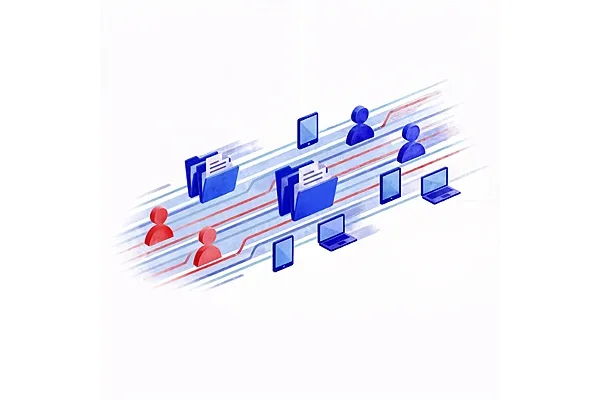
AvePoint migration is secure, scalable, and uses high speed APIs for data, identities, and devices while preserving metadata, labels, and configurations. Complete projects on time and under budget.
Frequently Asked Questions About Cloud Migration

Grace Harrison is a Product Marketing Manager at AvePoint, Inc., based in Jersey City, NJ. She works in the Product Strategy department, contributing to solutions like AvePoint Cloud Backup, AvePoint Fly, and AvePoint tyGraph. Grace plays a key role in developing marketing strategies and competitive intelligence to support AvePoint's field teams and enhance their selling tools.