

The June 2026 updates for the AvePoint Confidence Platform introduce powerful capabilities to automate AI agent lifecycles, eliminate SaaS waste, and accelerate data recovery workflows. As organizations deploy AI agents, expand multicloud ecosystems, and navigate complex compliance landscapes, maintaining absolute visibility is paramount. From native integrations with Microsoft 365 E7 and Salesforce Agentforce as well as continued integrations into Google Vertex, to automated multicloud backup and dynamic governance policies, this release is designed to minimize administrative overhead while strengthening enterprise resilience.
Explore what’s new across the platform below or jump directly to the updates most relevant to you.
- Adoption Analytics
- Backup and Recovery
- Data Governance
- Data Migration
- Information Lifecycle Management
- Access and Workflow Management
- Policies and Insights
- Cloud Cost Management
Learn more about the latest AvePoint Confidence Platform innovations on our webinar series.
What’s New in Command Centers
AgentPulse Command Center continues to evolve as your central control tower to monitor, manage, and govern AI agents across your organization. This latest release bridges the gap between fragmented data environments and actionable compliance, delivering unprecedented visibility and control to enterprise IT leaders.
Unified Multicloud Agent Visibility
Eliminate the friction of jumping between disconnected environments just to track your AI workforce. Command Center now brings Salesforce Agentforce inventory and activity into the same unified dashboard as your Microsoft and Google agents. This single control point allows you to seamlessly track adoption, assess security risks, and maintain consistent governance across multiple clouds without losing a unified line of sight.
Smarter License Tracking and Cost Optimization
Accurately measuring your true ROI on AI requires precise seat utilization data. With native support for Agent 365 and Microsoft 365 E7 licenses, Command Center makes it effortless to spot adoption gaps by showing exactly who is licensed versus who is licensed and active. New dedicated reporting highlights inactive licensed users to help you pinpoint specific training needs, while refined dashboards let you exclude licensed users from pay-as-you-go views for highly accurate cost estimates and forecasting.
Actionable Operational Insights and AgentPulse Discovery
Upgraded discovery and compliance workflows permanently remove the manual digging from your day-to-day operations. The updated Operational Efficiency dashboard automatically tracks how automated policy enforcement resolves violations over time, proving compliance at a glance. Furthermore, enhanced AgentPulse discovery adds native support for scanning modern Microsoft Foundry agents, delivers improved connection management for Gemini Enterprise Agent Platform (formerly Vertex AI) agents, and introduces flexible container routing to optimize your underlying infrastructure.
Adoption Analytics
What’s New in AvePoint tyGraph?
This release expands the global reach and data-discovery capabilities of tyGraph, giving administrators deeper visibility into user adoption and workspace sprawl.
Global Accessibility and New Privacy Settings
International teams can now access full French language support across the tyGraph Report Center, dashboards, and settings, alongside seamless authentication via integrated Okta sign-in support and allow standard users to opt out of data collection when tenant-level privacy is obfuscated.
AI Investment Tracking and Proactive Monitoring
New analytics capabilities allow organizations to maximize their AI investments by identifying licensed Microsoft 365 E7 users who are inactive with agents, making it easy to target training gaps and eliminate wasteful spending. Additionally, administrators can enable proactive status notifications to receive alerts the moment precheck conditions fail or data collection drops, ensuring uninterrupted access to business insights.
Standardized Data Retention Policy
Starting August 31, a standardized three-year data retention policy will be automatically enforced across all tenants, permanently removing older data. Administrators must review and update retention settings by August 1. If you need to retain historical analytics data beyond the three-year window, contact your account representative immediately.
Backup and Recovery
What’s New in Cloud Backup for Microsoft 365
Enhancements to Cloud Backup for Microsoft 365 accelerate data recovery and provide IT teams with greater control through advanced automation and item-level precision.
High-Speed Express Restorations and Automated APIs
Administrators can now browse and recover specific files or folders across SharePoint, OneDrive, Teams, and Groups in seconds using high-speed Microsoft APIs, eliminating the restrictive, all-or-nothing approach of restoring entire site collections. This item-level precision minimizes the impact on tenant environments and drastically improves recovery time objectives (RTOs). Furthermore, IT teams can automate these large-scale restorations without logging into the product interface; new programmable endpoints allow you to trigger file and folder recoveries directly through custom code, integrating automated recovery workflows into existing IT pipelines for maximum scalability.
What’s new in Cloud Backup for Salesforce
This release introduces advanced recovery orchestration and relational data management for Salesforce to minimize downtime and eliminate manual database reconstruction.
Orchestrated Salesforce and Docusign Recovery
Administrators can now automatically reconcile Docusign file links within Salesforce during a restoration. Because restored Docusign objects receive new unique identifiers, standard recoveries often orphan related records; this new orchestration ensures all Salesforce references instantly point to the newly recovered versions while automatically labeling old entries as "obsolete" to keep business operations and audit trails fully functional.
Multi-Level Archive Restoration
IT teams can recover archived Salesforce records along with up to 10 levels of related parent and child records in a single operation. Through a visual selection matrix, the platform automatically maps out the entire dependency tree, such as Accounts, Contacts, Opportunities, and Quotes, preserving full data integrity and complex lookups without requiring manual database reconstruction.
What’s New in Cloud Backup for Google Workspace
This release deepens application-layer protection for Google Workspace by expanding coverage to critical collaboration tools without requiring additional IT configuration.
Automated Google Forms Backup and Recovery
Administrators can now back up and restore Google Forms, quizzes, and surveys across both My Drives and Shared Drives. This ensures you can granularly restore data collection structures alongside standard Drive data to minimize operational downtime. Because Google classifies Forms data as a subset of Google Drive, these items are automatically included in protected drives by default, keeping your data collection safe without any extra administrative overhead.
What’s New in Cloud Backup for IaaS + PaaS
This release introduces high-speed identity restoration and multicloud infrastructure support, giving IT teams deeper granular control over their hybrid cloud environments.
Entra ID Express Recovery and External Identity Protection
Administrators can now use Microsoft's Express API for high-speed restoration, significantly reducing downtime during identity-related disasters. The update surfaces these native "Express" recovery points alongside standard backups directly inside the calendar restore wizard. Furthermore, IT teams can safeguard External Users, User Flows, App Registrations, and Custom User Attributes with policy-based backup and granular recovery for Microsoft Entra External ID. A dedicated dashboard card streamlines management for licensed users, ensuring seamless access for external stakeholders while retaining data protection support for legacy Azure AD B2C setups.
Multicloud S3 Resiliency and Azure Disk Exclusions
Enterprises can achieve true multicloud resilience by backing up virtual machines and storage across Amazon Web Services (AWS), Azure, and Google Cloud from a single portal. This update allows teams to secure Amazon S3 buckets with automated discovery and immutable backups using either SaaS mode or the CAP (Common Alerting Protocol) Gateway, supporting flexible in-place or out-of-place restorations at the bucket and file levels. To lower cloud storage costs elsewhere, administrators can isolate and exclude specific virtual disks from Azure VMware Solution backup jobs. Critical Operating System (OS) disks are protected by default and cannot be excluded, allowing teams to safely bypass transient data while keeping vital system drives secure.
Real-Time Infrastructure Backup Tracking
Teams can now monitor active jobs across VMs, databases, and cloud storage workloads using real-time backup progress reports directly on the dashboard. This interface displays the specific objects and individual items currently being processed, allowing administrators to accurately track performance, predict completion timelines, and maintain complete status awareness without manual refreshes.
What’s New in Cloud Backup for SaaS Applications
This release introduces deeper application integrations and multicloud storage choices to eliminate manual recovery workflows and protect complex operational logic.
Resilient Jira Service Management Protection
Data protection now extends to Jira Service Management to safeguard complex configurations like SLAs and Request Types, preventing tedious manual rebuilds after a misconfiguration. The platform restores service desk tickets alongside their associated customer organizations and asset links to maintain an accurate audit trail and keep service portals fully functional.
Integrated CRM and Docusign Restoration
For revenue and legal operations, automated link reconciliation ensures seamless continuity during data recovery. When Docusign files are restored, the integration automatically identifies and updates the related Salesforce record links, preventing orphaned data and keeping business workflows completely uninterrupted.
Expanded Okta Identity Coverage
Enterprises can now back up and restore critical Okta sign-on policies, discovery rules, workflow tables, and console settings, alongside newly supported objects like email/SMS templates and certificates. This allows administrators to quickly roll back a corrupted sign-on policy without rebuilding their entire identity and access management workflow from scratch.
Multicloud Storage Flexibility
Hosted storage options now support AWS and Google Cloud Platform (GCP) alongside Microsoft Azure. This multicloud expansion allows organizations to consolidate backup data within their preferred cloud ecosystem, helping to maintain consistent data residency and simplify storage management across the application stack.
What’s New in ReCenter
ReCenter reduces help desk ticket volume by giving users self-service recovery control. The latest updates introduce streamlined manager data recovery to simplify employee offboarding and protect data continuity.
Manager Data Recovery for Exchange and OneDrive
Bridging the data gap when an employee leaves the company is now a seamless process. Administrators can restore emails and files from departed or inactive users directly into a manager's account by enabling the recovery function for orphaned accounts. This update eliminates manual data exports and streamlines access to critical exchange and OneDrive workloads, ensuring vital business intelligence is never lost.
Data Governance
What’s New in AvePoint Cloud Governance and MyHub
This release introduces automated AI agent guardrails and expanded self-service provisioning to eliminate administrative bottlenecks and streamline lifecycle management across hybrid environments.
AI Agent and Automation Lifecycle Management
The Renewal and Metadata Enrichment process now extends past Copilot Studio to support Microsoft 365, Foundry, and SharePoint agents. This introduces automated recertification loops that capture operational relevance, while a new metadata completeness dashboard tracks risk scores and flags agents missing vital purpose documentation. Additionally, lifecycle renewal profiles now encompass Power Automate Desktop Flows alongside traditional cloud automations. By embedding desktop flow permission, metadata, and member recertifications into the existing flow interface, this update prevents profile sprawl whether automations exist inside or outside of solution packages.
Hybrid Group Provisioning and Bulk Guest Renewals
Hybrid organizations can eliminate manual, PowerShell-driven distribution group management. A new self-service workflow within MyHub allows end-users to request on-premises distribution groups through validation wizards that enforce Active Directory constraints, while two new access services enable owners to self-manage membership changes without elevated domain admin access. Furthermore, a new bulk guest user renewal feature allows administrators to scale operations faster by consolidating multiple guest access reviews into a single actionable task when guests share the same renewal profile and primary contacts.
Expanded Modern API Support
Organizations can scale governance operations with less labor using expanded Modern API support. The API framework now includes dedicated endpoints for Microsoft 365 Group settings, Viva Engage communities, site collection profiles, and Power Platform contact management, allowing teams to programmatically manage their broader collaboration ecosystems.
Data Migration
What’s New in AvePoint Fly
The June release of Fly introduces powerful capabilities designed to accelerate tenant consolidation, reduce collaboration friction, and deliver a cohesive workplace experience.
Automated Google Chat and Teams Migration
IT teams can now migrate Google Direct Messages and Spaces into Microsoft Teams through a fully automated process. This capability ensures complete communication continuity by preserving entire conversation histories, file attachments, and member permissions during the transition. By eliminating manual configuration, this update saves hours of administrative effort and eliminates user downtime, allowing organizations to securely standardize collaboration on a single platform.
Information Lifecycle Management
What’s New in AvePoint Opus?
This release introduces advanced data classification and automated scheduling to take the guesswork out of compliance workflows, allowing teams to seamlessly manage storage overhead across both digital and physical footprints.
Smarter Physical Asset Governance
Smarter lifecycle management across decentralized hybrid enterprise environments helps organizations lower compliance risk. By configuring physical folder-level rules, the system automatically calculates a parent box's disposal date based on the furthest action due date, strictly blocking box destruction if any folder lacks a defined date. Additionally, users can frictionlessly move files individually or up to 15 records simultaneously for intra-location moves; the platform automatically syncs templates and instantly updates inherited metadata fields to preserve an unbroken audit trail.
Automated Storage Optimization and Job Controls
The newest updates focus directly on reducing storage overhead, automating data classification, and ensuring teams can confidently execute policies at scale. Organizations can optimize storage architecture and lower fees using a native policy engine to split data streams, routing high-value records to secure AvePoint storage while sending routine, stale files directly to cost-effective Microsoft in-place storage (available to Microsoft Archive Preview Program participants).
Access and Workflow Management
What’s New in AvePoint EnPower?
New EnPower capabilities maximize operational efficiency, scale automated governance, and drive direct cost savings across enterprise cloud ecosystems.
Comprehensive AI Agent Governance and Lifecycle Management
Administrators can now automate the management of decentralized AI infrastructure across Microsoft 365, Copilot Studio, SharePoint, and Azure AI Foundry. Using dynamic workflows, teams can design multi-branch logic based on model type, status, and governance conditions to trigger automated warnings, modify metadata, or request ownership attestations. For ad-hoc intervention, IT and security teams can manually trigger AI agent renewal tasks and Contact Election capabilities directly from the inventory list or detail page, forcing instant user validation of business intent and access parameters. For bulk actions, the system automatically generates independent renewal tasks in the background to handle partial failures gracefully and keep reviews moving without manual audits.
Power Platform Optimization and Standardized ALM
Organizations can eliminate wasteful spending driven by aggressive software auto-enrollment with a new multi-source evaluation engine. This "set-and-forget" framework cross-references Entra ID attributes, SharePoint profiles, and live usage history to automatically reclaim premium SKU allocations based on identity status or prolonged inactivity, cutting out hours of manual license auditing. To further streamline operations, administrators can standardize Application Lifecycle Management (ALM) by moving entire Power Platform solutions sequentially across environment hierarchies from the primary operations console via a guided deployment wizard. Additionally, administrators can enforce accountability across complex background processes by triggering Desktop Flow renewals directly from the inventory list, allowing Cloud Governance to handle task generation and operational enforcement automatically.
Remote Hybrid Shared Mailbox Creation
Help desk teams can now provision hybrid shared mailboxes without scripting or accessing legacy servers. A cloud-first Remote Shared Mailbox Creation panel allows Tier-2 support or help-desk roles to enter display names, target organizational units (OUs), and assign initial permissions while tracking live sync status directly in the interface, which simplifies delegation. The entire process is fully auditable, simplifies delegation, and removes manual configuration steps.
Policies and Insights
What’s New in AvePoint Policies for Microsoft 365?
This release delivers new advancements designed to minimize administrative overhead, strengthen collaboration safeguards, and inject smarter automation into your tenant governance strategy.
Human-Verified Site Ownership
Establishing true accountability is simplified with an interactive feedback loop that replaces silent, automatic user promotions with human-verified ownership. When a new owner candidate is flagged, the user receives an interactive Adaptive Card via email or MyHub to accept or decline with a single click. This explicit sign-off eliminates administrative rework while the captured responses continuously train predictive assignment models to improve future accuracy.
Automated Demotions for Restricted Administrators
Enforcing the principle of least privilege no longer requires manual IT cleanup or disruptive access cuts. The platform's auto-fix capabilities now extend to Site Owner and Site Collection Administrator Restriction rules, automatically demoting non-compliant or restricted users to standard members instead of blocking them entirely. This automates cleanup for common violations, ensuring consistent tenant security while preserving access continuity for active collaborators.
Behavior-Based Link Security and Targeted Guest Detection
Security controls now align with real exposure risk rather than arbitrary timelines. The Sharing Link Expiration Enforcement rule now supports expiration based on the last access date, shifting mitigation to behavior-based risk reduction so administrators can automatically expire stale and inactive sharing links without disrupting active collaboration. Additionally, the Ghost Guest User Detection rule now supports Defined Groups, allowing IT teams to isolate high-risk zones or exclude long-term external collaborators and service accounts to drastically reduce review fatigue.
Group-Based Policy Scans
The latest scan engine update closes a critical visibility gap by including site domain groups during evaluation. The system automatically assesses these groups when running Site Collection Administrator and User/Group Restriction rules. Because modern Group- and Team-based sites frequently rely on domain groups to manage permissions, this update aligns policy enforcement with actual user architecture to eliminate blind spots without requiring new configuration.
What’s New in AvePoint Insights for Microsoft 365?
AvePoint Insights continues to sharpen its data protection capabilities with updates that drive operational efficiency, improve administrative trust, and provide deeper visibility into your security environment.
Centralized Data Management and Redesigned Scan Visibility
Administrators can now discover, evaluate, and validate data types from a single workspace that combines Data Type Management and the System Integration Testing (SIT) Availability Test into a single view, allowing teams to run on-demand availability tests instantly and eliminate trial-and-error configuration. Complementing this workspace is a redesigned Scan Details experience that provides absolute clarity regarding scan freshness, progress, and status. By introducing richer metadata, including active risk definition profiles and comprehensive object scan histories, this update replaces guesswork with transparent, explainable data, empowering teams to verify environmental health directly in-product while reducing escalation overhead.
Cloud Cost Management
What’s New in AvePoint Cense?
Optimize enterprise software investments, strengthen budget control, and maximize cost efficiency across SaaS environments with the latest Cense updates.
Advanced Microsoft 365 and Azure AI Cost Management
Enterprises can now track and optimize Agent 365 and Microsoft 365 E7 suites from a single, unified view. The platform delivers smart cost recommendations, including automated suggestions to consolidate user licenses into an E7 SKU for immediate savings, and automatically populates monthly retail subscription costs to streamline financial planning. Controlling advanced AI expenditures is similarly simplified through dedicated reporting and budget pages for Microsoft AI Foundry agents. Finance and IT teams can track live expenses at both the individual agent and user levels, allowing them to establish custom budget thresholds and prevent unexpected Azure charges through proactive reporting and automated alerts.
Strategic License Cost Benchmarking
Procurement and IT leaders can use real market data directly within their workflow to optimize vendor negotiations. The new License Cost Benchmarking feature allows opted-in organizations to compare their internal license spending against anonymized industry averages directly on the License unit cost page, providing the concrete data needed to identify regional overspending and secure better renewal deals.
Learn More About These Updates
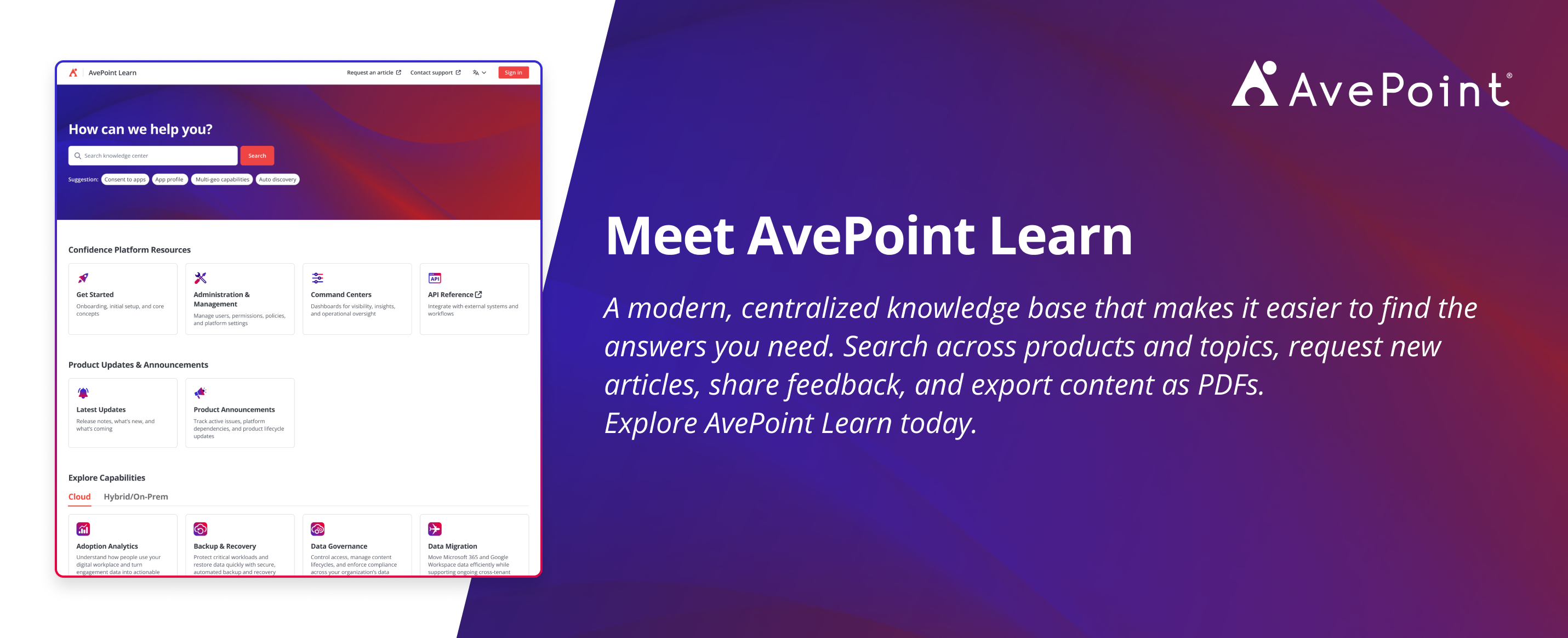
AvePoint Learn
Meet AvePoint Learn, a centralized hub for finding answers fast. Search across products, request content, share feedback, export PDFs, and get AI-powered help all in one place. Explore AvePoint Learn.

Esther is AvePoint's Director of Technical Writing, with a specialization in communicating product updates and platform updates.