

A migration used to have a clear finish line: move the mailboxes, transfer the files, validate the destination, and complete the cutover. That model no longer reflects the post-migration reality, especially for multicloud organizations.
More commonly, organizations are choosing a multicloud setup to take advantage of AI tools, balance costs, maintain legacy connections and workloads, and avoid vendor lock-in. In fact, more than three-quarters of organizations now operate across Amazon Web Services (AWS), Azure, Google Cloud, and other cloud providers, highlighting just how common multicloud environments have become.
As a result, a Microsoft 365 to Google Workspace migration may involve moving selected workloads, consolidating specific environments, or supporting both platforms as part of a broader collaboration strategy.
The migration still needs to move data accurately, but accuracy alone is no longer enough. Organizations must also preserve the permissions, relationships, policies, and ownership structures that give content meaning after cutover. A migration is not complete when every object arrives at the destination. It is complete when people can continue working with the right access, context, and controls intact, whether they’re on one platform or two.
Collaboration Has Become a Web of Dependencies
Files and mailboxes are only the visible layer of collaboration. Behind them sit the identities that grant access, the groups that connect users, the conversations that provide context, and the policies that determine how information is retained and protected.
An Exchange Online mailbox may include delegates, shared mailboxes, forwarding rules, and calendar permissions. A SharePoint site may depend on metadata, nested permissions, lists, workflows, and Microsoft 365 Groups. A Teams workspace can connect channels, conversations, meetings, files, and membership structures. These elements do not always have direct equivalents in Google Workspace.
That is what makes a modern Google Workspace migration more complex. Moving the primary content without understanding its dependencies can result in an operationally incomplete yet technically successful migration. Users may struggle to locate information, restore established workflows, access shared resources, or continue collaborating as they did before the transition.
Plan Beyond the Migration
A 2025 SANS Multicloud Survey found that 76% of enterprises operate across multiple clouds, while nearly half lack centralized visibility and control across those environments. In these environments, migration planning becomes less about transferring content and more about preserving the dependencies that give that content context and usability after cutover.
1. Map and Clean Up Your Data First
A migration strategy should not assume that every workload must follow the same path.
Some teams may move to Google Workspace to support a new operating model or take advantage of capabilities such as Gemini. Others may remain in Microsoft 365 because their processes, applications, or regulatory obligations are closely tied to that environment. An acquired company may continue using its existing platform while the broader organization determines the right long-term architecture.
The first decision is therefore not simply how to move data. It is where each workload can best support the business.
That requires discovery before execution. Organizations need to understand what content they have, who owns it, who can access it, how it is used, and which policies apply. They can then decide what to migrate, retain, consolidate, archive, or delete.
This is also the right point to address redundant, obsolete, and trivial (ROT) data. Moving that content without cleanup carries the same inefficiency into the destination environment. A well-scoped migration moves what the organization needs and leaves the destination easier to govern.
Workload planning should also account for how users will interact with migrated content after cutover. Data may arrive successfully, but adoption can stall if employees cannot locate information, understand new sharing structures, or continue familiar collaboration processes. Migration validation should therefore measure usability and access alongside technical completion.
2. Build Continuity Into the Migration
Cutover is a concentrated period of operational change. The organization is moving data, translating access, redirecting users, and validating business processes simultaneously.
Continuity cannot wait until the migration is complete.
Uptime Intelligence’s 2025 outage analysis found that 54% of respondents to its 2024 annual survey said their most recent significant, serious, or severe outage cost more than $100,000, while 1 in 5 reported costs exceeding $1 million. While migration projects differ from infrastructure outages, the findings reinforce the business impact of operational disruption.
Organizations should build continuity into every phase of migration through phased execution, clearly defined ownership, workload-level validation, tested recovery procedures, and visibility into progress and exceptions. The objective extends beyond moving content successfully. It is to minimize operational disruption, maintain user productivity, and ensure critical business functions remain accessible throughout the transition.
3. Plan for Long-Term Governance, Not Just Migration Success
The migration may end at cutover, but governance responsibilities do not. Content, permissions, compliance obligations, and recovery requirements all need to function across the environment that remains after the move. Four governance considerations deserve particular attention.
a. Sequence identity before content
Users, groups, roles, delegates, and sharing structures determine who can work with migrated information. These structures rarely translate one-to-one between Microsoft 365 and Google Workspace.
Identity-first sequencing provides content with a valid access model upon arrival and establishes a foundation for ongoing accountability and governance. It also reduces orphaned permissions and the manual remediation that can delay adoption after cutover.
This is where Google Workspace identity governance becomes a critical migration requirement rather than a post-migration task. Ownership models, group structures, delegated access, and accountability should be established before data moves so governance travels with the content instead of being rebuilt afterward.
b. Assess each collaboration workload separately
A Microsoft 365 to Google Workspace migration tool should provide the visibility and control needed to manage each workload according to its requirements. Pre-migration discovery, workload-level analysis, identity and member mappings, and validation before execution help teams define scope, plan migration waves, and identify potential issues before data moves.
This approach shifts migration planning from moving individual content types to preserving the business value behind them. Maintaining data fidelity, user access, collaborative context, and governance controls helps ensure the migration supports operational objectives, not just technical requirements.
c. Maintain compliance before, during, and after the migration
Retention, legal hold, classification, and audit requirements do not pause while information moves.
Compliance continuity should be designed into the migration so that regulated information remains identifiable, governed, and defensible throughout the transition. Policies may be implemented differently across Microsoft 365 and Google Workspace, but the outcome should remain consistent. Organizations should validate that governance requirements continue to function before, during, and after cutover, rather than assuming they will transfer automatically with the content.
d. Apply one governance standard across both platforms
Microsoft 365 and Google Workspace operate differently, but governance expectations should remain consistent. Standards for access, external sharing, classification, retention, and recovery should apply across both environments, even when the underlying controls differ. Effective Google Workspace data governance extends existing governance principles rather than creating a parallel governance model.
The same applies to data protection for Google Workspace. Backup and recovery should reflect the importance of each workload and account for business processes that depend on information across both platforms. This allows users to work in the environment suited to their needs while IT and compliance teams maintain consistent oversight across the collaboration estate.
Move Work Forward, Not Just Data
Organizations considering migrating from Microsoft 365 to Google Workspace should begin by defining how work needs to function after the cutover.
That model may place selected workloads in Google Workspace while other services remain in Microsoft 365. It may support coexistence during a phased transition or as a longer-term operating strategy. What matters is that every workload has an intentional destination and every environment meets the organization’s standards for access, governance, compliance, and recovery.
A successful migration does more than confirm that content arrived. It preserves the context people need to work, maintains the access and controls that support collaboration, and gives IT the visibility needed to manage both environments with confidence. The goal is not simply to move data. It is to ensure that work continues with the same trust, continuity, and accountability after cutover as before.
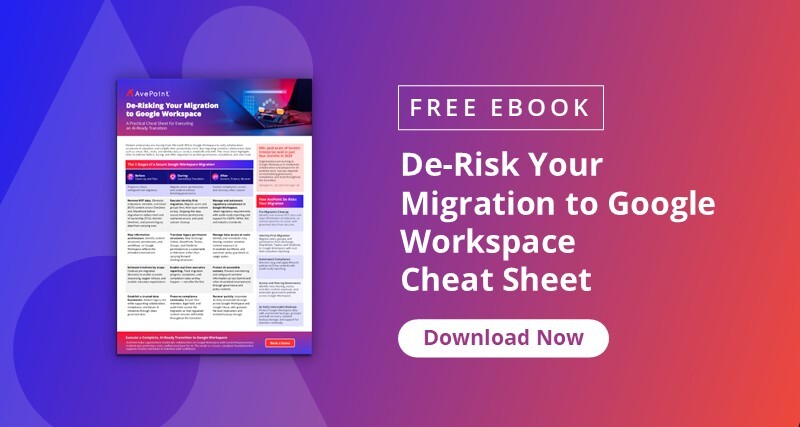
Planning a Microsoft 365 to Google Workspace migration? Download the De-Risking Your Migration to Google Workspace cheat sheet to identify what to address before, during, and after the transition.

Ava Ragonese is a Product Marketing Manager at AvePoint, leading the GTM of data security solutions for Google Workspace and Cloud. She helps organizations focus on quality data and insights to drive innovation and how multi-cloud collaboration can impact businesses. Ava has a M.Eng. in Systems Analytics from Stevens Institute of Technology and enjoys bringing her technical acumen to complex business decisions such as AI adoption.