

 03/12/2013

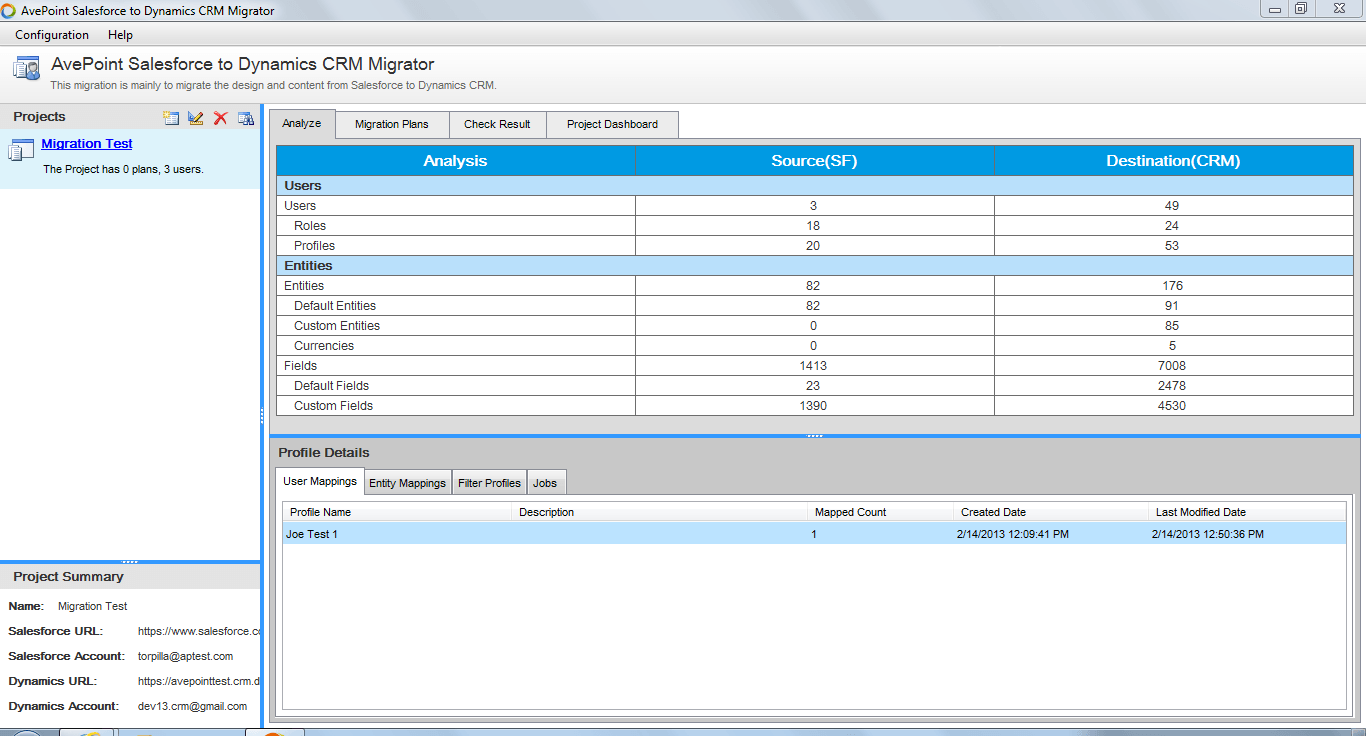 Figure 1: AvePoint CRM Migration Manager for Dynamics CRM Challenge 2: How can users search for a particular record in Dynamics CRM more efficiently? Solution: SearchAll, part of the AvePoint Productivity Suite for Dynamics CRM, enables keyword-based search across all Dynamics CRM entities, including contacts, leads, campaigns, opportunities, support cases, and accounts, as well as custom created entities through a single interface. If a user searches a particular company name that may have more than one account in CRM, they will be able to see all of the records related to the user’s search. This will ensure that the user will have all of the most relevant and up-to-date information about a customer.
 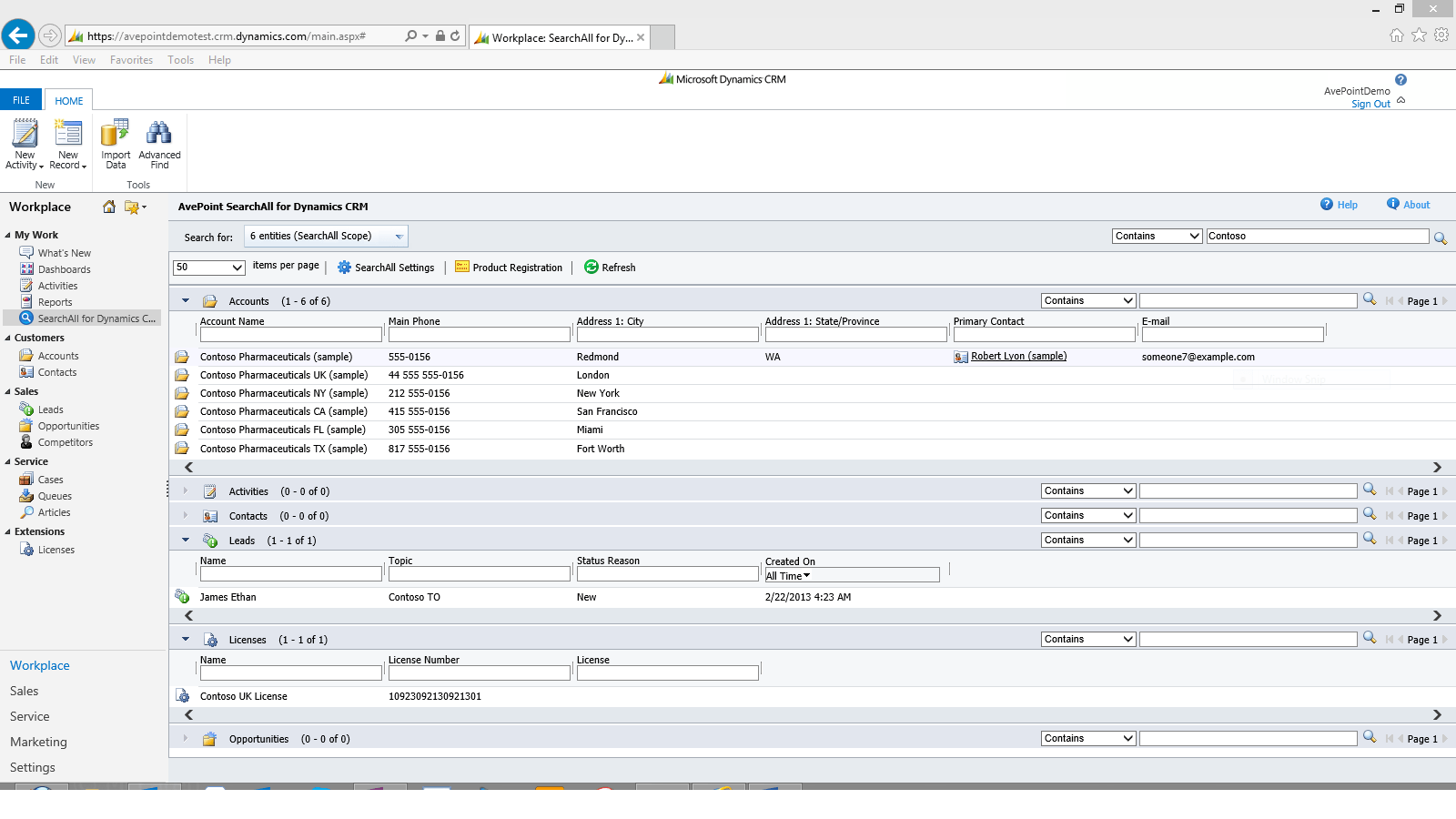 Figure 2: SearchAll from the AvePoint Productivity Suite for Dynamics CRM Challenge 3: How can users easily log activities in Dynamics CRM so there is enforcement and accountability? Solution: CallAssist for Dynamics CRM, another part of the AvePoint Productivity Suite for Dynamics CRM, is a desktop application that allows users to automatically log phone activities as soon as calls are finished. CallAssist can be used with any telephony platform that connects to the Windows Telephone API, including TAPI, Skype, and Lync. With notable features like automatic dialing and caller ID, CallAssist ensures that CRM activity data is properly logged and is accurate as possible.
 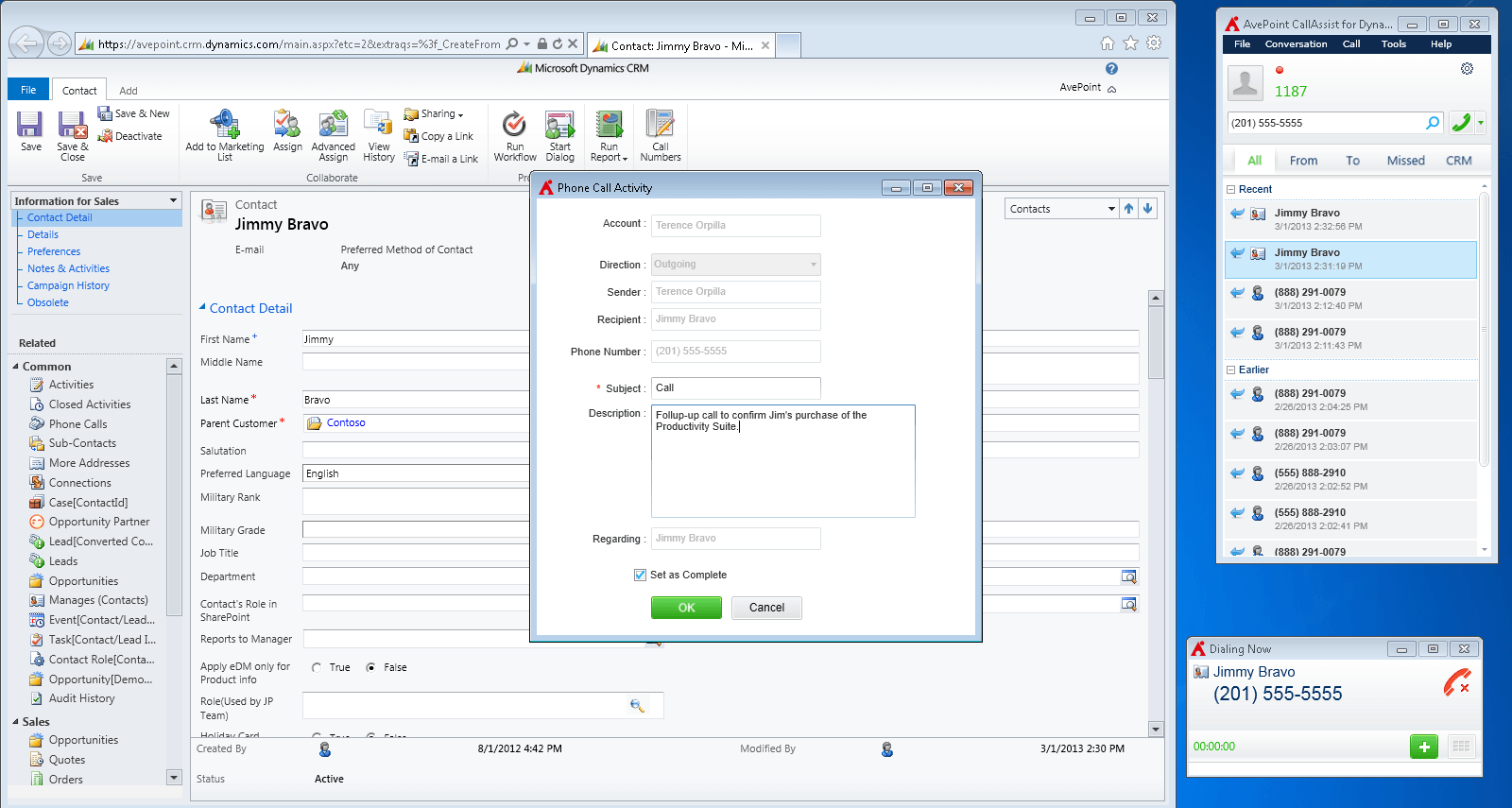 Figure 3: CallAssist from the AvePoint Productivity Suite for Dynamics CRM Challenge 4: How can organizations be confident that records are protected from accidental deletions and other user errors? Solution: Record Rollback, another part of the AvePoint Productivity Suite for Dynamics CRM, eliminates any accidental or malicious deletions or modifications to CRM records by taking advantage of native auditing capabilities to maintain optimal data quality. The product provides an easy to use interface to browse for any records that users may want to roll back, either to undo an update that was made in error or recover from an accidental deletion.
 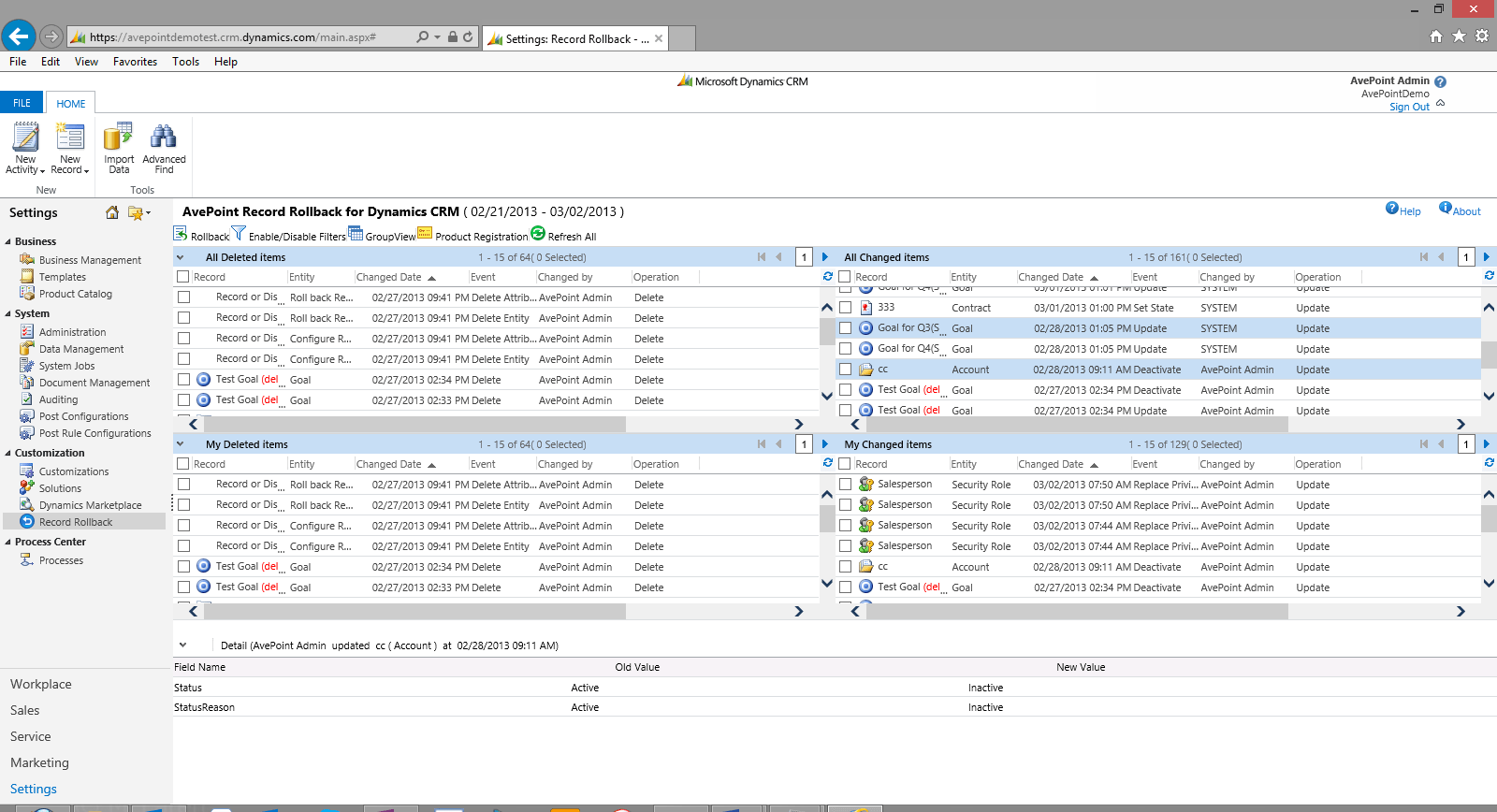 Figure 4: Record Rollback from the AvePoint Productivity Suite for Dynamics CRM Challenge 5: How do sales users get a complete picture of the lead account with easy mobile access? Solution: Timeline for Dynamics CRM is a Windows 8 app that empowers sales teams to be more productive when preparing for customer interaction on the go. Timeline displays all the relevant information in a consolidated and interactive interface for mobile devices, providing quick and easy ways to add annotation, and displays an aggregated view of relevant information pertaining to the record and/or account in use.
 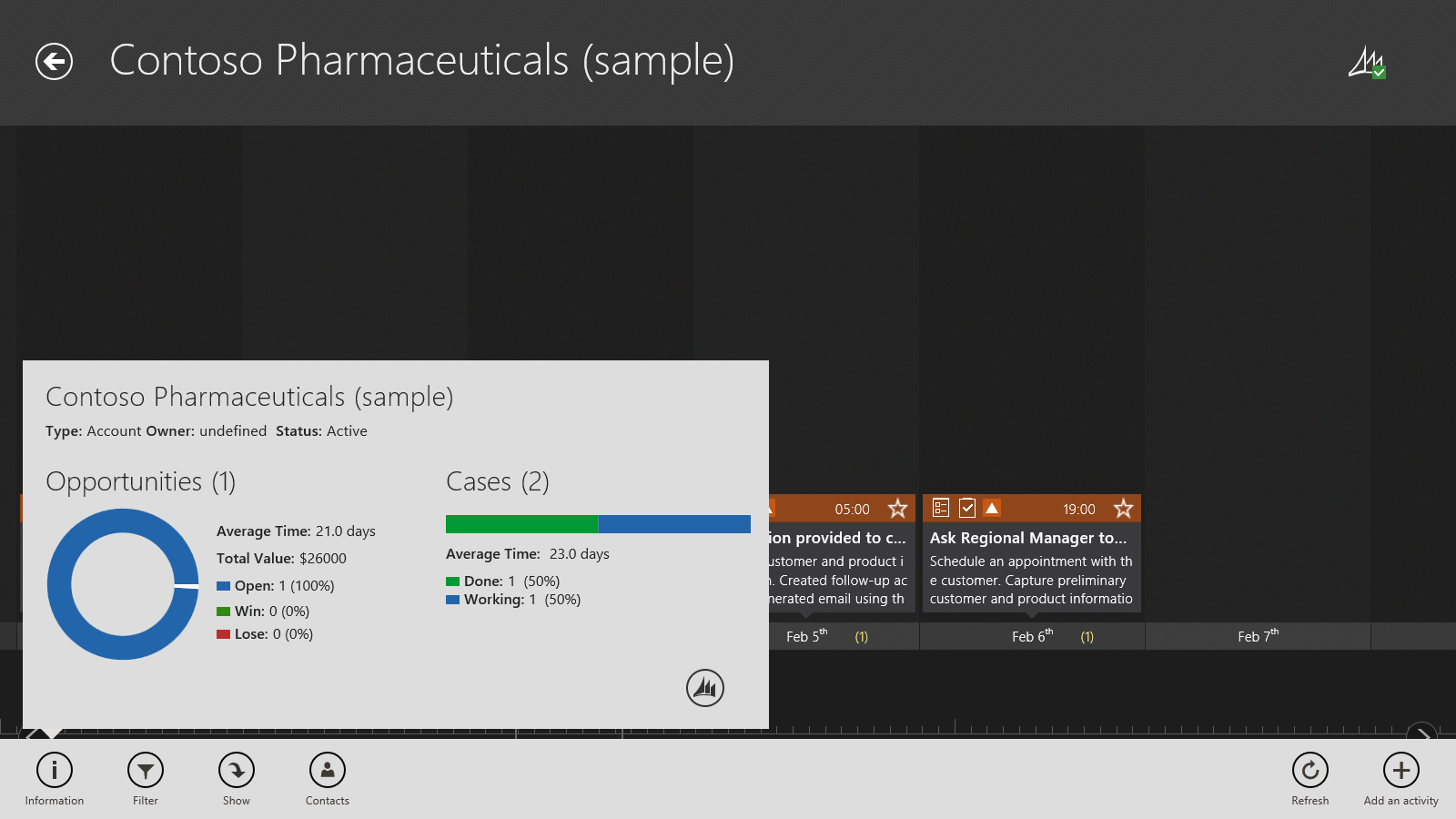 Figure 5: AvePoint Timeline for Dynamics CRM To learn more about how AvePoint’s products for Dynamics CRM can help your organization collaborate with confidence, please visit our website. If you're interested in a personalized and in-depth demonstration of the products, please email us today. Keep an eye on our blog for additional posts on AvePoint Solutions for Dynamics CRM from our product team!