
 07/17/2013

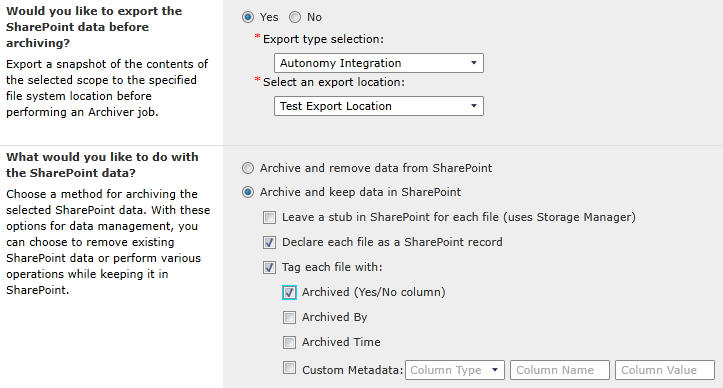 Figure 1: Several of the options available when archiving data with DocAve Archiver in DocAve 6 SP 3. When you decide to archive something by externalizing the BLOB and keeping a stub in SharePoint, you can simultaneously exercise the option to "declare it as a SharePoint record," thereby creating read-only stubs. What does this mean in business terms? It means that end users can still view the files they need, while one authoritative copy of the data is locked away in your organization's archive storage. You can also take periodic “snapshots” of these files (that is, images or copies of what your content looks like today – like a time capsule) and store these in your archives for compliance purposes and potential future reference. Archiver, combined with AvePoint’s Compliance Guardian product and our extended Compliance Solutions, can assist organizations in “being compliant” by enabling them to address retention and disposition. Archiver empowers them to hold onto important data for potential future reference, and take down certain data once its time is up to make sure you don't have data at all where or when it should no longer be there. As you may have seen in recent news, noncompliant organizations can get seriously lambasted and fined for mishandling their records. The storage optimization aspect of the Archiver story certainly does not change, but now users have more flexibility than ever in the management and compliance of their data. With these features, organizations will truly be able to store their data when, where, and how they need it. They can archive content by removing it from SharePoint altogether, they can archive it by exporting it for eDiscovery, or they can archive it by making it read-only to end users. Stay tuned for my next blog post where I will discuss specific use cases for DocAve Archiver. Want to try DocAve 6 SP 3 today? Visit our website to download a free trial today!
How much data do you create and store each year? Use our data storage calculator here.