

AI agents are reshaping enterprise workflows, but most still lack direct access to the private data they need to be useful. Connecting large language models to corporate repositories typically means building custom integrations that break every time a model or data source changes. The Model Context Protocol (MCP) offers a better path — a standardized, scalable way to connect any AI client to any data source. With Gartner projecting that 40% of enterprise applications will integrate task-specific AI agents by the end of 2026, up from less than 5% in 2025, organizations that establish governed MCP infrastructure now will be positioned to scale AI adoption without rebuilding integrations from scratch.
What Is the Model Context Protocol (MCP)?
The Model Context Protocol is an open standard developed by Anthropic that defines how AI models communicate with external tools, data sources, and services. It replaces the need for custom, point-to-point API integrations by providing a universal interface that any compliant AI client can use to discover and interact with any compliant server. MCP is transport-agnostic and operates over JSON-RPC 2.0, making it lightweight, extensible, and suitable for both local and cloud-based deployments.
What Is an MCP Server?
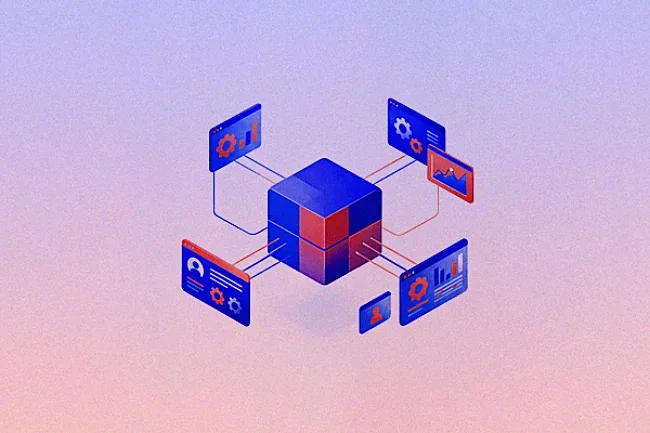
An MCP server is a lightweight program that sits in front of a data source or tool and exposes its capabilities to AI clients through the standardized MCP interface. Introduced by Anthropic in November 2024, MCP acts as a universal socket — much like the USB-C standard replaced dozens of proprietary cables with a single connector — and the server is the adapter that makes your internal systems AI-readable without exposing them directly.
Rather than writing bespoke connectors for each AI platform, developers build one server per data source. Any compliant AI client — whether Claude, a custom enterprise assistant, or a third-party agent — can then discover and consume that server's resources, tools, and prompts automatically.
Why MCP Matters for Enterprise AI
Before MCP, connecting a large language model (LLM) to a corporate database required building and maintaining a custom integration for every model-and-data-source combination. When models updated or data sources changed, teams rebuilt pipelines from scratch. MCP decouples the AI client from the data layer entirely — one server built today works with every MCP-compliant client available now and in the future. The timing is critical: Gartner predicts that 40% of enterprise applications will integrate task-specific AI agents by the end of 2026, up from less than 5% in 2025, dramatically lowering development overhead and accelerating time-to-value for enterprise AI initiatives.
How Does MCP Server Architecture Work?
MCP's architecture follows a clean three-tier model: hosts, clients, and servers — each with a defined role that keeps AI systems secure and maintainable.
The Three-Tier Host-Client-Server Model
The host is the environment where users interact with the AI model — examples include Claude Desktop, Cursor IDE, or a custom enterprise chatbot. The client is the engine inside the host that manages the MCP communication lifecycle, translating user intents into structured JSON-RPC 2.0 protocol queries. The server is the data-layer connector that receives those queries, executes the appropriate actions against the underlying system, and returns structured results.
This separation means the LLM never has direct access to your raw database or file system. All interactions are mediated, audited, and controlled through the protocol layer.
Transport Layers: stdio vs. Streamable HTTP
MCP supports two primary transport mechanisms. Standard input/output (stdio) is used for local applications where the client and server run on the same machine — it is the simplest and most secure option for development and on-premises deployments. Streamable HTTP is used for remote, cloud-based services where clients and servers communicate over HTTPS.
Enterprise deployments typically use Streamable HTTP for scalability, with TLS encryption enforced at the transport layer. Regardless of transport, the protocol prevents unauthorized modifications to core systems while giving models exactly the information they need to generate accurate, grounded responses.
Resources, Tools, and Prompts: How Servers Power AI Agents
Unlike traditional software that follows hardcoded paths, AI agents make decisions dynamically based on user goals — and that requires immediate access to real-time tools and corporate data. Every MCP server exposes up to three capability types that give developers precise control over what AI systems can see and do.
The Three Core Capabilities
MCP servers expose three core capabilities to agents:
- Resources: Read-only data assets — files, database schemas, or API documentation — that give AI models foundational context.
- Tools: Executable functions that allow agents to take action — querying a database, sending a notification, or updating a record.
- Prompts: Predefined reasoning templates that guide agent behavior for complex, multi-step enterprise tasks.
How Agents Use Servers in Practice
These standardized capabilities let developers build highly flexible agents. An agent can query financial data from one server, cross-reference it with a policy document from another, and draft a formatted report — all through a single unified interface, within one continuous conversation. The client manages the connections and routes requests to the appropriate server based on capability discovery. This interoperability is what separates MCP-powered agents from rigid, single-purpose bots.
Pre-Built MCP Servers and the Enterprise Ecosystem
Most enterprise teams do not need to build every MCP server from scratch. A rapidly expanding ecosystem of open-source and commercially supported servers covers the most common business systems. According to the State of MCP in Software 2026 report, 41% of surveyed software organizations are already running MCP servers in limited or broad production environments — a strong signal that the ecosystem has reached enterprise readiness.
Common Open-Source Servers Available Today
Developers can leverage pre-built, open-source servers for popular business systems instead of writing custom code. Common examples include:
- Databases: PostgreSQL and SQLite servers support safe, read-only querying against structured data stores.
- Code repositories: GitHub and GitLab servers enable agents to read code, review pull requests, and audit commit history.
- Communication and productivity platforms: Slack, Google Workspace, and Microsoft 365 servers let models retrieve conversation context, calendar data, and SharePoint, Outlook, and Teams content through standardized interfaces.
MCP Registries and Discovery Directories
Specialized directories such as PulseMCP and the official MCP Registry allow organizations to discover, evaluate, and deploy community-built servers. These registries accelerate deployment timelines by providing pre-vetted connectors for common enterprise systems. Before deploying any community server in a production environment, conduct a security review of the source code — particularly the input validation logic and output handling.
How to Build an MCP Server: Step-by-Step
For organizations that need proprietary data connections, building a custom MCP server is a critical milestone. Anthropic provides official SDKs in Python and TypeScript that handle the protocol scaffolding, so developers can focus on the data logic specific to their organization. The full build typically follows six core steps.
Step 1: Initialize Your Project Environment
Create a new project directory and install the official MCP SDK. In Python, use uv as your package manager for dependency isolation: run uv init my-mcp-server, install the SDK with uv add 'mcp[cli]', and create your server entry point file. In TypeScript, use npm or pnpm to initialize the project and install the @modelcontextprotocol/sdk package. Ensure Node.js 18+ is installed for full Streamable HTTP support.
Step 2: Define Your Server and Capabilities
Import the MCP server class and instantiate it with a name and version identifier. These metadata fields appear in client discovery responses, so use descriptive names that reflect the data source being exposed (for example, avepoint-sharepoint-connector or inventory-db-server).
Step 3: Register Tools and Resources
Decorate functions with the @server.tool() decorator (Python) or the server.tool() method (TypeScript) to register them as callable tools. For each tool, define a clear name, a natural-language description the model uses to decide when to invoke it, and a strongly-typed parameter schema using Pydantic (Python) or Zod (TypeScript). For example, a retrieve_inventory tool might accept an item code and optional department code; the function body runs a parameterized query and returns a structured JSON result. Never construct raw SQL from user-provided strings — always use parameterized queries to prevent SQL injection.
Step 4: Configure the Transport Layer
For local development and on-premises deployments, configure stdio — it requires no network configuration and runs entirely within the local process boundary, making it the most secure option for sensitive internal data. For cloud-based or distributed deployments, configure Streamable HTTP transport: set the server to listen on an internal port, enforce HTTPS via a reverse proxy (NGINX or an API gateway), and require OAuth 2.0 or API key authentication on all incoming connections.
Step 5: Add Input Validation and Security Controls
Input validation is not optional — it is a security requirement. Every tool parameter must be validated before execution. Implement schema validation to reject requests that do not match the declared parameter schema, allow-lists to restrict tool invocations to explicitly permitted operations, output sanitization to strip sensitive fields from responses before they reach the model, and rate limiting to prevent runaway agent loops from overwhelming backend systems.
Step 6: Test with MCP Inspector and Register with the Host
Use the MCP Inspector tool — included with the MCP CLI — to test your server locally before connecting it to a production AI client. Inspector lets you invoke tools manually, inspect request and response payloads, and verify that capability discovery works correctly. Once validated, register your server in the host application's MCP configuration file (for example, claude_desktop_config.json for Claude Desktop, or the equivalent config for your enterprise AI platform).
Security Requirements for Enterprise MCP Deployments
Enterprise MCP deployments require purpose-built security architecture. The protocol defines how data moves — it does not enforce who can initiate connections, which models can access specific data, or how regulatory requirements are met. Without proper guardrails, agents could inadvertently expose restricted documents or leak data to unauthorized endpoints, so those controls must be implemented explicitly.
Zero-Trust Access Control
Every MCP server connection must enforce identity verification before any data is returned. Implement OAuth 2.0 or mutual TLS (mTLS) for server authentication, and apply role-based access control (RBAC) so that agents inherit the permissions of the authenticated user — not elevated service account privileges. When an agent queries a database, it should see only the records the requesting user is authorized to view.
Prompt Injection Defense
Prompt injection is the primary attack vector for MCP servers. A malicious instruction embedded in data returned from one server can hijack an agent's behavior and cause it to execute unauthorized operations against another server. Defend against this by validating that tool output does not contain instruction-like patterns before passing it back to the model, implementing a content inspection layer between the server response and the AI context window, and restricting tool chaining to explicitly approved sequences.
Audit Logging and Compliance Visibility
Every MCP interaction must be logged for security and compliance purposes. Audit records should capture the authenticated user identity, the originating prompt that triggered the tool call, the specific tool executed and its parameters, the data returned, and the timestamp. This trail enables security teams to detect anomalous agent behavior, investigate prompt injection attempts, prevent unauthorized access, and demonstrate compliance with data governance policies. Store audit logs in an immutable, append-only system to prevent tampering.
Reference Architecture for MCP Governance
| Architecture Layer | Primary Technical Purpose | Governance Action Required |
|---|---|---|
| MCP Host | Runs the user interface and AI model interaction | Monitor client sessions, prompts, and token usage |
| MCP Client | Translates model intents into JSON-RPC server requests | Validate application identity and enforce least-privilege access |
| MCP Server | Exposes tools, resources, and prompts to AI clients | Implement RBAC, input validation, and immutable query logs |
| Transport Layer | Carries communication via stdio or Streamable HTTP | Enforce TLS in transit and restrict outbound network endpoints |
Governing MCP at Scale with AvePoint
As organizations deploy MCP servers across the enterprise, managing connections, enforcing policies, and maintaining compliance visibility becomes a significant operational challenge. The protocol defines the communication standard — it does not govern which agents can connect to which data sources, how data sovereignty rules are enforced, or what happens when an agent behaves unexpectedly.
Centralized Visibility and Policy Enforcement
AvePoint's Agentic AI Governance solution provides a comprehensive control plane for all MCP server connections across the enterprise. IT administrators use a single dashboard to automatically discover active agents and servers on the network, enforce consistent data access policies, monitor data flows in real time, and set global access boundaries that protect sensitive documents and databases from unauthorized model queries.
Operational Outcomes
AvePoint eliminates the manual audit workflows that fragmented server deployments require. Instead of inspecting logs across dozens of separate server instances, administrators detect anomalous activity, flag suspicious queries, and halt unauthorized operations from one centralized interface. Key outcomes include:
- Elimination of manual audit processes across fragmented MCP server instances, driving significant cost savings.
- Prevention of unauthorized AI access to sensitive corporate intellectual property.
- Reduction of integration deployment timelines from weeks of custom development to minutes.
This governance layer ensures that enterprise AI investments deliver maximum business value without creating new compliance exposures — reducing the risk of data leaks and accelerating compliance approvals.

The Agent Management Platform Built for Enterprise Control.
Centralized discovery, governance, and lifecycle control across every AI agent, without depending on the platforms themselves.
Frequently Asked Questions About MCP Server

Shyam Oza brings over 15 years of expertise in product management, marketing, delivery, and support, with a strong emphasis on data resilience, security, compliance, and business continuity. Throughout his career, Shyam has undertaken diverse roles, from teaching video game design to modernizing legacy enterprise software and business models by fully leveraging SaaS technology and Agile methodologies. He holds a B.A. in Information Systems from the New Jersey Institute of Technology.