

 10/21/2014

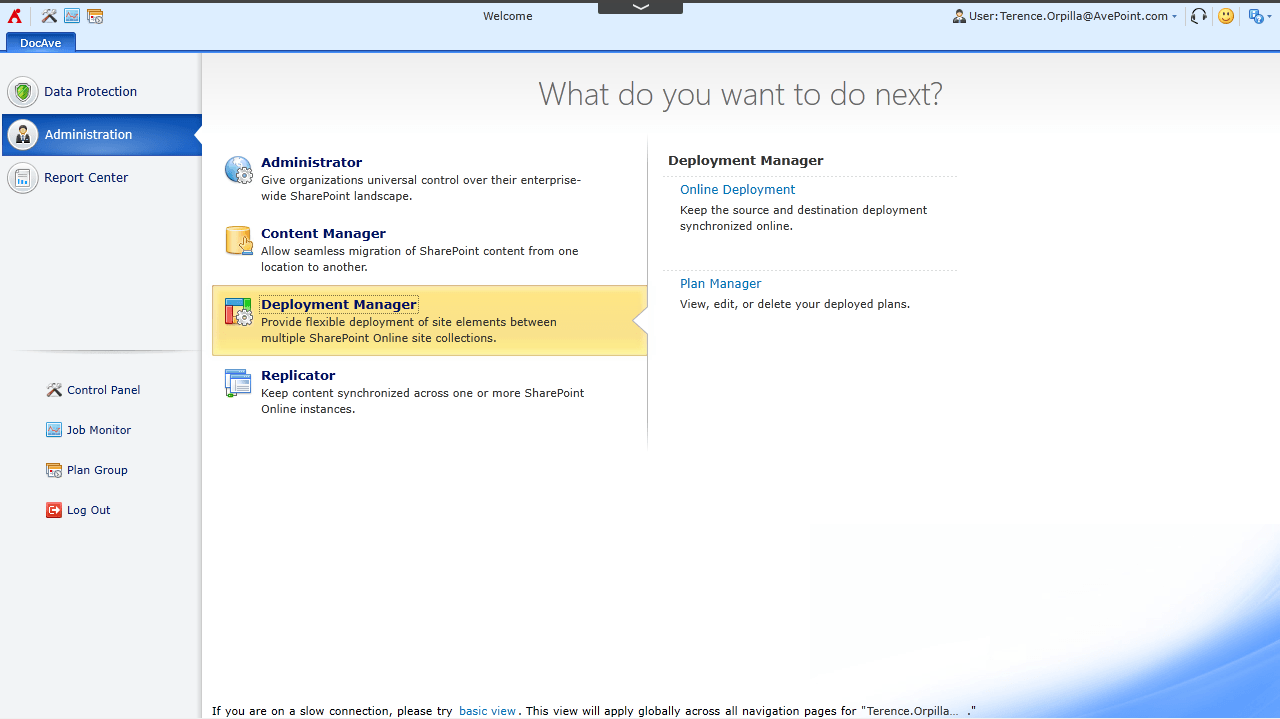 The DocAve Online dashboard, now featuring Deployment Manager.[/caption] Deployment Manager enables SharePoint Online developers and administrators to effectively manage and promote content, customizations, and design elements within and across SharePoint tenants. Deployment Manager offers a robust solution for automating the management of SharePoint apps and design elements. [caption id="attachment_3721" align="alignnone" width="768"]
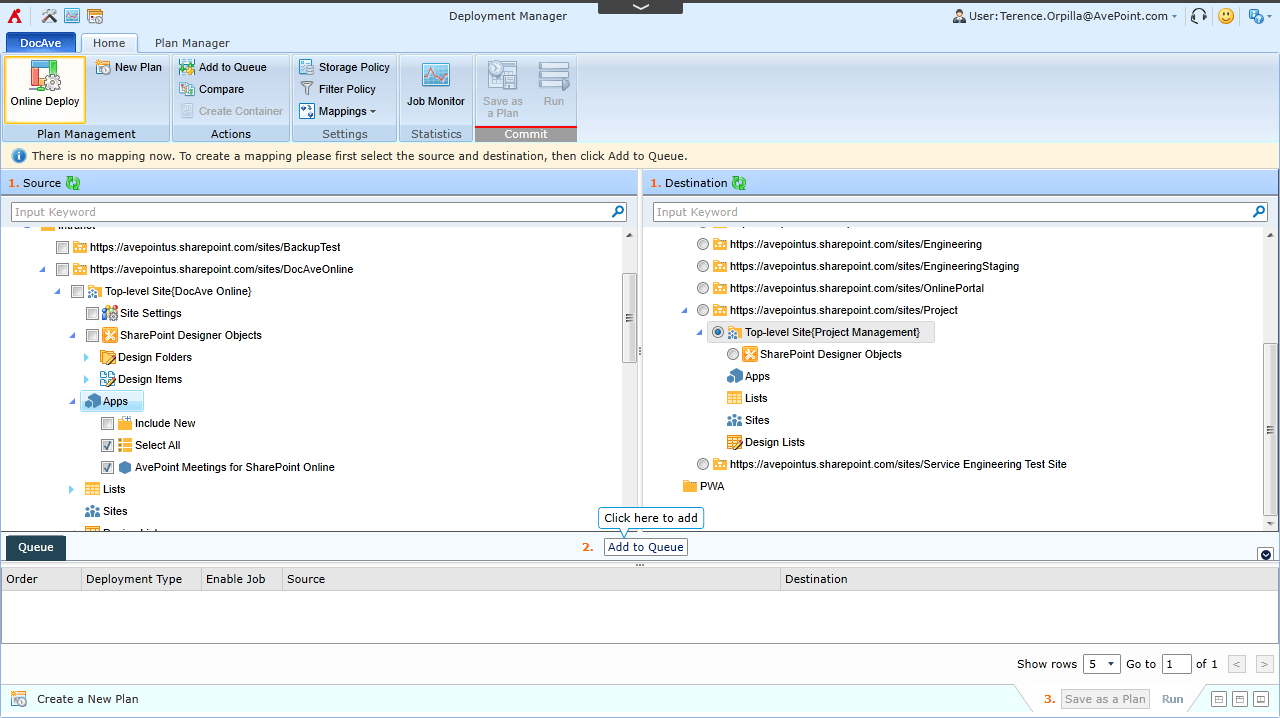 Deployment Manager's "Live Mode" feature allows you to deploy SharePoint design elements such as apps from one SharePoint site to another.[/caption] Deployment Manager allows you to traverse your SharePoint Online environment with a simple tree interface and granularly select design elements that you can add to your deployment plan. You can add elements such as sites, lists, folders, items, apps, site or lists settings, SharePoint Designer objects, site columns, content types, and user solutions. Creating a plan allows you to have a controlled process and procedure when it comes to SharePoint Online management. [caption id="attachment_3722" align="alignnone" width="768"]
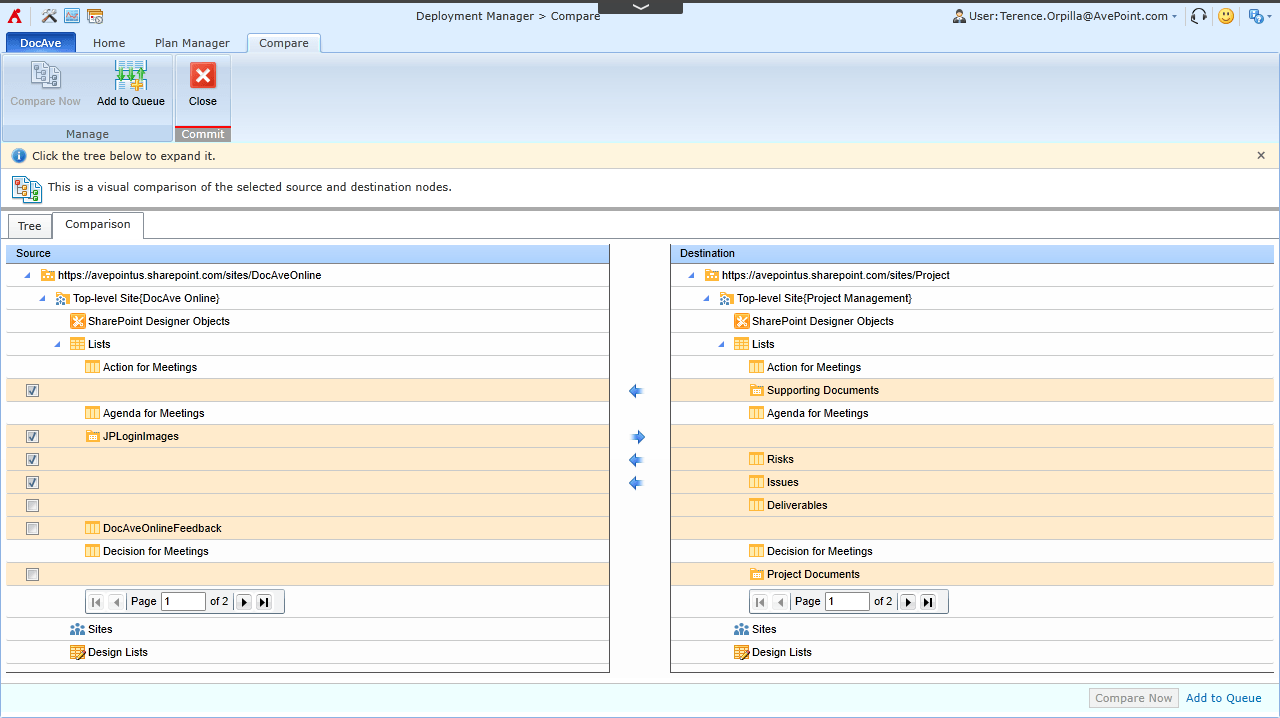 Deployment Manager allows you to compare a source and destination to identify design element differences.[/caption] Another great feature of Deployment Manager is “live compare”. Live compare allows you to identify the design element differences between a source’s site collection or site and a selected destination. After reviewing the differences, you can select and then queue the items missing from the destination and deploy to address the differences in a deployment plan. These are only a few highlights of new features and enhancements we’ve introduced in Deployment Manager for DocAve Online. For more information, please visit the DocAve Online product page. Interested in trying DocAve Online yourself? Register for a free, 30-day trial and get started today! To see how customers have found success simplifying Office 365 management with DocAve Online, check out some of our most recent case studies: