
Control Suite for Operational Excellence
Streamline workflows, improve data governance, and scale oversight to centralize control over your information assets.
Modern Work Needs Modern Insights and Efficiency
Today’s modern organization understands clean data is crucial to their success. However, they struggle to oversee vast amounts of data across multiple collaboration platforms. AvePoint’s Control Suite provides actionable insights, automates data governance, and proactively enforces policies to reduce security risk, optimize operations, and ensure compliance.

Discover, Secure and Comply
Identify and fix employee and guest access to safeguard your modern SaaS platforms.

Transform Data Governance
Provide a secure yet frictionless experience with a scalable support and data governance framework.

Efficient, Modern Operations
Automate IT operations to support collaboration at the speed and scale of today’s workplace.

Secure Your Access and Minimize Risk
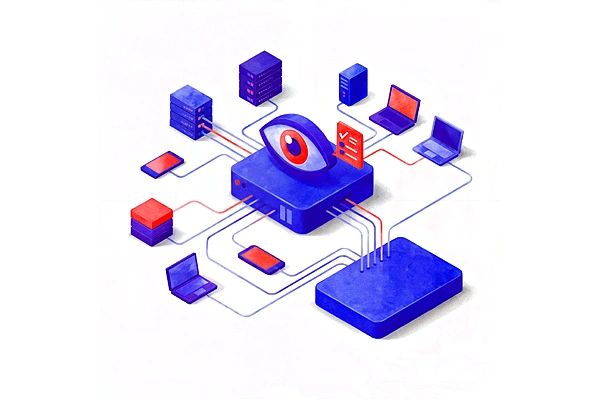
Get visibility into which users can access sensitive data to spot possible vulnerabilities. Identify potential security gaps. Bolster defenses and safeguard your organization's critical digital assets with automated safeguards. Strengthen protections and reduce risk through automated policies.
Put Your Collaboration Platforms to Work
Deploy your governance policies across all collaboration platforms. Align every workspace, user, and file with compliance rules. Give teams a unified portal for messaging, sharing, and tasks. Empower managers to configure flexible yet secure permissions. Seamlessly manage frameworks to drive productivity while ensuring policy alignment.
Eliminate Compliance Risks
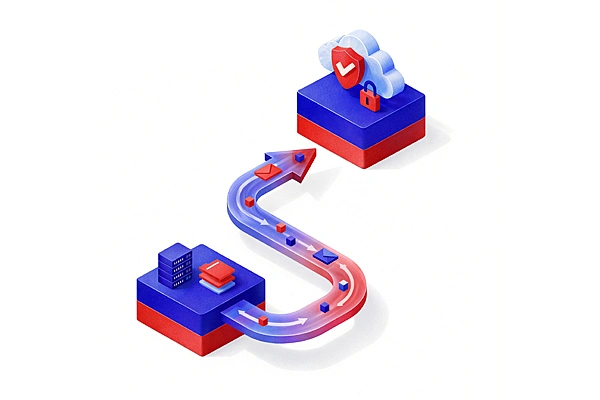
Implement and enforce access and configuration policies that align with internal and external regulations. Seamlessly uphold permission and setup protocols that demonstrate compliance. Eliminate risks by keeping collaborative workspaces synchronized with changing requirements. Effortlessly prove compliance at any time through automated data governance and controls.
Empower Users to do the Right Thing
Streamline data governance by enabling end-users to make the right decisions. Guide users to approved services and have owners revalidate access. Avoid IT sprawl through clear end-of-life options. Take charge of software subscriptions with real-time oversight. Strategically allocate licenses to maximize value. Empower your workforce while optimizing your technology investments.

The New Dream Team: IT and Security
Explore Solutions that Align IT and Security Leaders
IT Leaders
Drive Modern Work with Scalability and Control
Give teams one hub for messaging, sharing, and tasks with flexible yet secure settings. Strategically manage software licenses in real-time to optimize value of technology investments. Empower managers to configure permissions balancing team needs and security. Maximize every dollar spent through oversight and strategic allocation of subscriptions.
Security Leaders
Eliminate Risk and Increase Your Security Posture
Gain visibility into user access of sensitive data to identify vulnerabilities. Bolster defenses with automated policies to safeguard critical assets. Continuously prove compliance with protocols in sync with changing internal guidelines and external regulations. Remove compliance exposure by seamlessly upholding security and permission setups.
The AvePoint Control Suite Difference
Simplify Workplace Operations with One Trusted Platform
Today's workplaces rely on numerous complex cloud apps and platforms. Managing it all brings data governance and security challenges. The AvePoint Control Suite can handle all your essential needs at once. Automate governance across SaaS apps, manage licensing and budgets, empower users with scalable policies, secure data by controlling access, and protect from cyber threats. Achieve efficient, sustainable operations and confidently oversee a workplace full of diverse technologies and workspaces.

Take the Next Step to Win Today’s Digital Workplace
Support every stage of your digital workplace transformation with the AvePoint Confidence Platform.

Modernization Suite
Bring all your data together and build business processes that transform employee experience.

Resilience Suite
Secure your data, manage information lifecycle, and prevent breaches to eliminate risk.

Control Suite
Gain complete visibility across your digital workplace and scale your data governance framework and operations.
Trusted by the World’s Leading Organizations
Griffith University
We attempt to limit the restrictions we place on how people use Microsoft 365. Our goal is to manage growth and reduce the size of the tenant, so we are only managing active content and active workspaces. AvePoint lets us have that vision, but also enable critical governance.
Tegan Valentine
Senior Information Solutions Analyst, Griffith University

Explore AvePoint Control Suite Products

Cloud Governance
Implement an extensible governance framework that empowers users, is easy to maintain, and scales with your organization.

AvePoint EnPower
Unburden IT and reduce risk by aligning Microsoft 365 and Power Platform administration according to your operational needs.


Insights for Microsoft 365
Reduce IT’s security burden by easily finding, prioritizing, and fixing controls for Microsoft 365 permissions, membership, and sharing.

MyHub
Simplify your users’ collaboration experience with a one-stop-shop for all their Teams, Groups, Sites, and Communities.

Policies for Microsoft 365
Make it easy to automate common rules for access, settings, and other configurations. Set white/black list policies, policies for external sharing, and more.
Ready to see AvePoint in action?
Turn chaos into control across your SaaS platforms with the AvePoint Control Suite.
By clicking "Get a Demo," you agree to the use of your data in accordance with AvePoint's Privacy Notice, including for marketing purposes.