

This October, the AvePoint Confidence Platform delivers powerful new updates designed to help you protect data across multi-cloud environments and govern emerging agentic AI technologies — all while simplifying automation and improving visibility. From Microsoft 365 and Google Workspace to Salesforce and beyond, the Confidence Platform delivers enhanced capabilities to help you work smarter, stay secure, and gain deeper insights.
This release introduces the new Operational Efficiency Command Center, offering a powerful, unified interface that brings together actionable insights from Cloud Governance, EnPower, Insights, and Policies. By consolidating data across these platforms, it provides a comprehensive view of service requests, workspace provisioning and lifecycle management, and policy violations, enabling teams to monitor, respond, and optimize operations in real time. Whether you're tracking governance actions, auditing user behavior, or resolving compliance issues, this new Command Center streamlines decision-making and enhances visibility across your Microsoft 365 environment.
Explore all the latest updates across the AvePoint Confidence Platform or jump to a specific business need by clicking on any of the links below.
- Adoption Analytics
- Backup and Recovery
- Data Governance
- Data Migration
- Information Lifecycle Management
- Access and Workflow Management
- Policies and Insights
Adoption Analytics
What’s new in AvePoint tyGraph?
AvePoint tyGraph introduces many enhancements designed to improve visibility, engagement, and decision-making across Microsoft 365 environments. Organizations can now track usage of the free Copilot web chat to identify unlicensed users and benchmark activity, enabling smarter licensing strategies and more accurate adoption insights. Organizations can now track usage of the free Copilot web chat to identify unlicensed users and benchmark activity, enabling smarter licensing strategies and more accurate adoption insights. By first training users to succeed with free Copilot, organizations can pinpoint those who demonstrate meaningful engagement and then upgrade them to paid licenses. This targeted approach reduces wasted spend and accelerates early success.
A new Stream Video Analytics report highlights top-performing videos and viewer engagement, while enhanced Site Details reports allow users to share filtered views and pin key visuals for easier access.
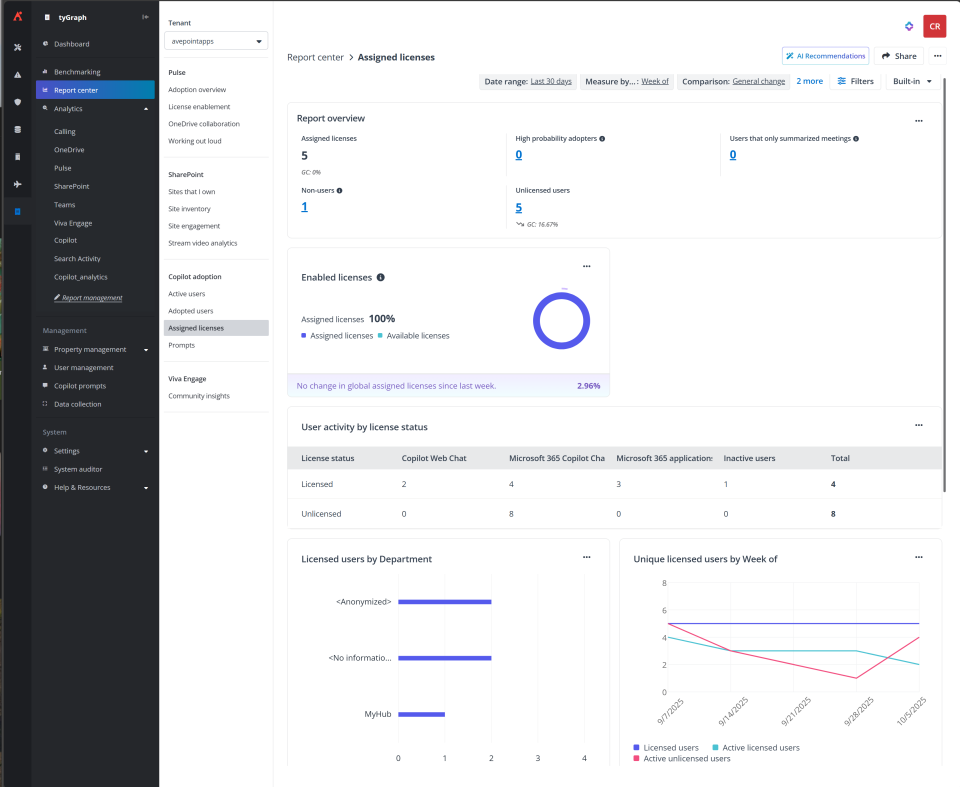
Gain visibility into unlicensed usage to compare free vs. paid engagement for smarter licensing decisions.
AI-powered insights now surface directly within dashboards and Site Analytics web parts, offering instant recommendations and trend analysis without the need for manual interpretation. Users can also view file and folder activity alongside page performance, gaining a more complete picture of content engagement. When dashboards are shared, recipients receive branded, timestamped email notifications that improve visibility and traceability across teams. Plus, export options for Viva Engage and Benchmarking visuals make it easier to analyze and share data across departments.
Backup and Recovery
What’s new in Cloud Backup for Microsoft 365?
AvePoint Cloud Backup for Microsoft 365 delivers greater control, flexibility, and user experience across backup and restore workflows. Users can now prioritize backups for critical containers and individual objects within them, ensuring essential data is protected first and without delay. To accelerate the restore process and reduce resolution time, users can preview files and mailbox items before restoring them from OneDrive, SharePoint Teams, Groups, and Exchange Online. From the previewer, authorized users can download, print, or create a secure, shareable link with password and expiration settings. Note that for enhanced security, the preview actions are disabled by default and require authorization from AvePoint Support to be turned on. All preview actions are audited, and access is restricted to designated security groups, ensuring compliance and traceability.
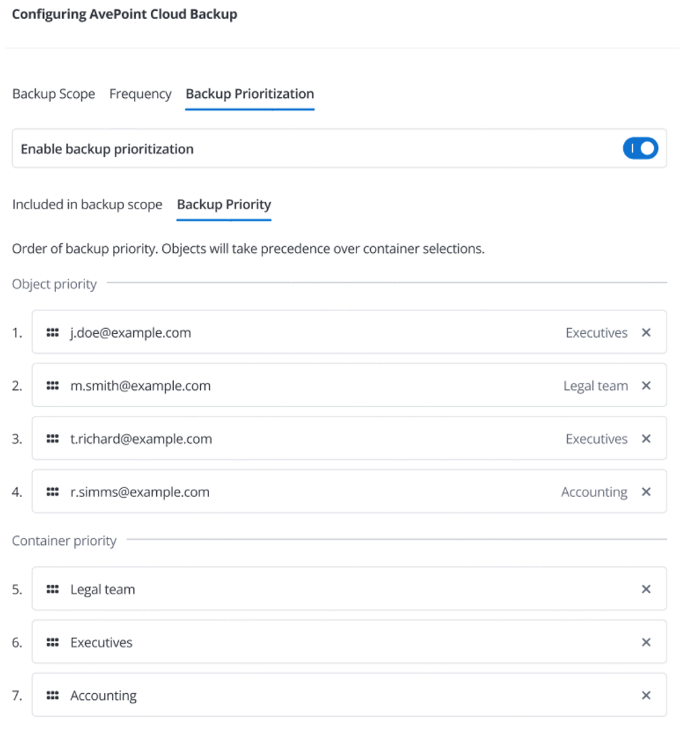
Prioritize backups for containers and objects to ensure essential data is protected first and without delay.
New restore options for Power BI support both in-place and out-of-place restoration of workspaces, reports, and datasets, with smart conflict handling and optional permission recovery. Expanded restore destinations include Microsoft Teams channel sites, offering more flexibility for Teams-centric organizations. Support for custom apps with delegated permissions also extends to Power Platform and Viva Engage scenarios across all service types.
What’s new in Cloud Backup for Salesforce?
AvePoint Cloud Backup for Salesforce introduces powerful new features to enhance data protection, restore flexibility, and analytics integration. The Salesforce Backup Data Service is now generally available, allowing organizations to connect historical backup data to BI tools like Tableau and Power BI for deeper insights. Hierarchical restore capabilities allow users to recover archived records along with their related child records in a single action, preserving data integrity and eliminating manual re-linking. Backup coverage also expands with automated audit log protection, storing logs in secure, immutable storage to meet compliance needs.
Restoration workflows are now more customizable with granular automation controls. Admins can disable specific triggers, flows, and validation rules during restore operations to reduce errors and simplify complex environments. Additional enhancements include support for custom databases, full-text archive search, and alert rules based on record thresholds. To further enhance integration and monitoring, Cloud Backup now supports audit log streaming via Microsoft Azure Event Hubs. This allows organizations to build real-time pipelines for audit data, improving visibility and compliance tracking.
What’s new in Cloud Backup for IaaS + PaaS?
The latest updates to AvePoint Cloud Backup for IaaS + PaaS deliver greater flexibility, automation, and cross-cloud support for enterprise backup strategies. Organizations can back up Azure resources to any supported cloud platform, removing the same-cloud restriction and allowing teams to choose the storage that best fits their infrastructure. Geo-Redundant Storage (GRS) is also now available, offering enhanced data resilience across paired regions in Azure, AWS, or Google Cloud. Additionally, Google VM backup is now generally available, supporting file-level exports and indexing via CAP Gateway mode.
To streamline operations, the CAP Gateway now supports automatic installation and updates, helping teams stay current and avoid backup failures. Clearer status indicators and new configuration options, such as log upload preferences, improve usability and transparency. Plus, CAP Gateway mode now supports Amazon EC2 backups and restores, further extending multi-cloud protection.
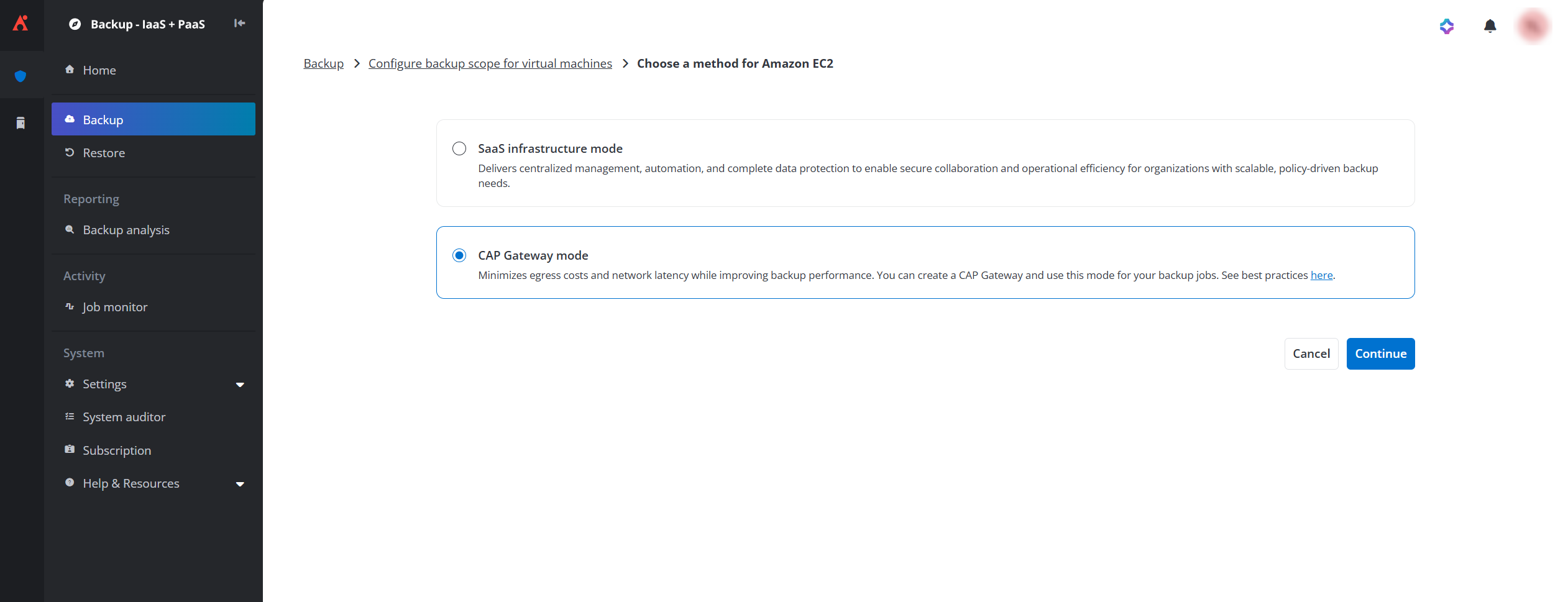
Configure CAP Gateway mode for Amazon EC2
Data Governance
What’s new in AvePoint Cloud Governance and MyHub?
AvePoint Cloud Governance introduces new features that simplify governance workflows, improve automation, and enhance visibility across Microsoft 365. Users now receive digest emails summarizing key tasks, alerts, and updates, reducing inbox clutter while staying informed. Governance for Viva Engage has been expanded with dynamic service support, allowing users to manage community membership and ownership through structured requests. Dynamic metadata branching offers consistent metadata assignment across Change Metadata workflows, with future support planned for renewal and auto-import profiles.
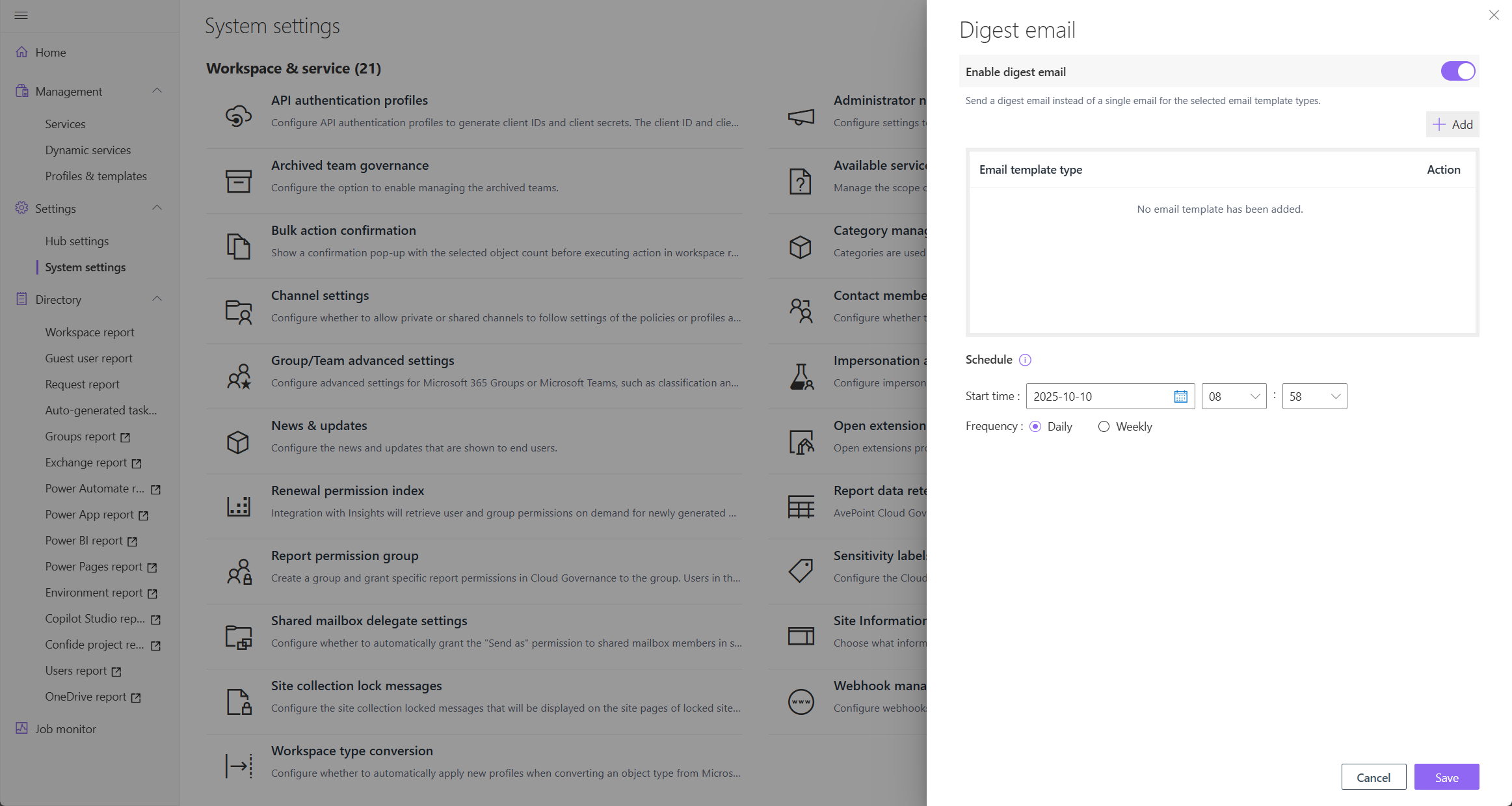
Configure a digest email summarizing key tasks, alerts, and updates.
Approvers can edit submitted dynamic service requests, streamlining approvals and reducing delays. Power BI workspace provisioning is now supported directly from MyHub, complete with governance profiles and permission controls. Additional updates include automated contact election for Copilot Studio agents, expanded object support in MyHub Spaces reports, including hybrid mailboxes, Power Platform assets, and Microsoft 365 Groups, and new API endpoints for external systems.
AvePoint MyHub now offers a more personalized and streamlined experience for both end users and admins. Users can customize their navigation by reordering menu items, hiding unused sections, and setting a default landing page making it easier to focus on services, tasks, reports, and requests that matter most. The Spaces view has been expanded to include governance-managed resources, and users can now search and join public Teams, Microsoft 365 Groups, and Viva Engage communities directly from the Spaces page, simplifying collaboration across departments.
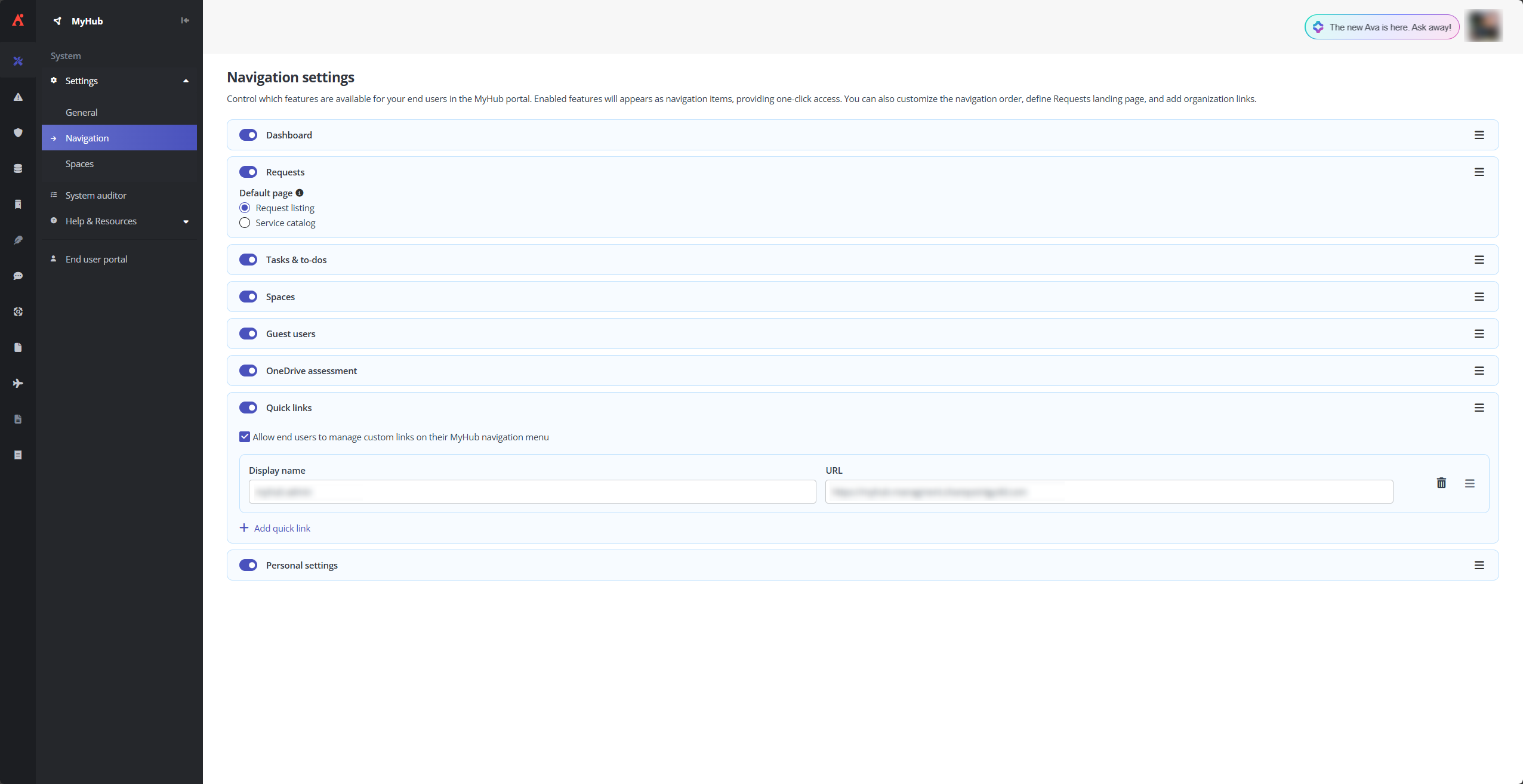
Customize navigation settings to focus on services, tasks, reports, and requests that matter most.
Data Migration
What’s new in AvePoint Fly?
AvePoint Fly continues to expand its migration capabilities across Microsoft 365, Google Workspace, and hybrid environments with new support for Active Directory Device Migration, now available in preview. This feature enables the migration of computer objects (Windows 10/11), including ReACL and forced logout processes for Microsoft Office clients like Outlook, Teams, and OneDrive. It also supports Active Directory Server migrations across local and hybrid environments, helping organizations modernize identity infrastructure with minimal disruption.
Fly also introduces enhanced support for Exchange Online to Gmail migrations, including post-migration actions for shared calendar permissions and mailbox aliases. Additionally, organizations can now migrate data from Microsoft 365 Groups to Google Groups, streamlining cross-platform transitions and improving collaboration continuity.
Information Lifecycle Management
What’s New in AvePoint Opus?
AvePoint Opus continues to expand its records management capabilities across Microsoft 365, hybrid environments, and physical archives. Organizations can now archive entire Teams or Groups, including conversations, files, and connected SharePoint sites, with the ability to restore the entire Team or Group, to just a single document from the workspace. This powerful capability helps reduce digital clutter, optimize storage costs, and ensures that critical collaboration data is preserved for future reference or regulatory needs.
For physical records, Opus introduces custom barcode templates, allowing users to design labels with tailored fields and dimensions for easier tracking. This upgrade streamlines inventory management and strengthens audit readiness by ensuring essential metadata is always visible—an important advantage for organizations focused on effective IT lifecycle management.
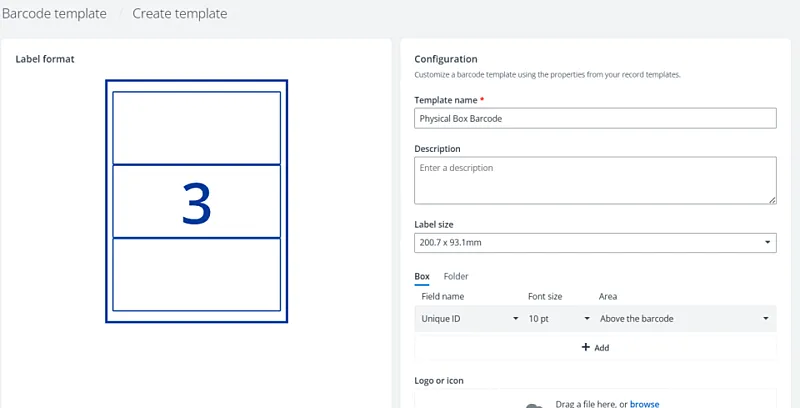
Customizable Barcode Template Designer for Physical Records
Hybrid support is also enhanced with the ability to link SharePoint On-Premises documents to related Microsoft 365 and physical records. This unified approach delivers complete context for audits, legal workflows, and business processes, bridging the gap between legacy and modern content repositories.
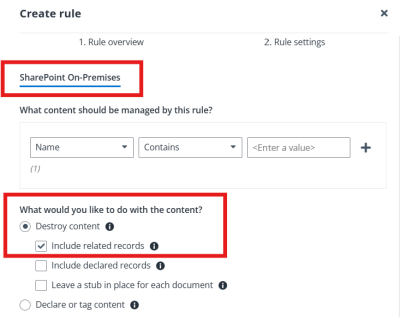
Link related records for SharePoint On-Premises
New automation and classification features simplify lifecycle management. Admins can now route disposal approvals directly to SharePoint Groups eliminating the need for Site Owner permissions and empowering subject matter experts to make informed decisions.
Enhanced classification inheritance allows default terms to be applied across entire folder structures, reducing manual effort and improving consistency. Simulation reports now provide deeper insights into your data for smarter archive and disposal decisions with richer, actionable insights, while advanced keyword search in the Restore Center enables faster, more intuitive content retrieval.
Access and Workflow Management
What’s new in AvePoint EnPower?
AvePoint EnPower offers powerful new automation, governance, and reporting capabilities designed to streamline operations across Microsoft 365 and Power Platform. Admins can now leverage activity-based triggers for Copilot Studio workflows, enabling responsive automation based on user behavior. Manual workflow triggers for Copilot agents and Power BI artifacts offer direct control over permissions, notifications, and lifecycle actions, while activity-based conditions for Power BI artifacts help automate renewals and governance based on last activity time.
Governance enhancements include automated contact election for Copilot agents, ensuring continuity when contacts are deactivated. Delegated management now extends to Microsoft Loop components and Power Pages, offering centralized control.
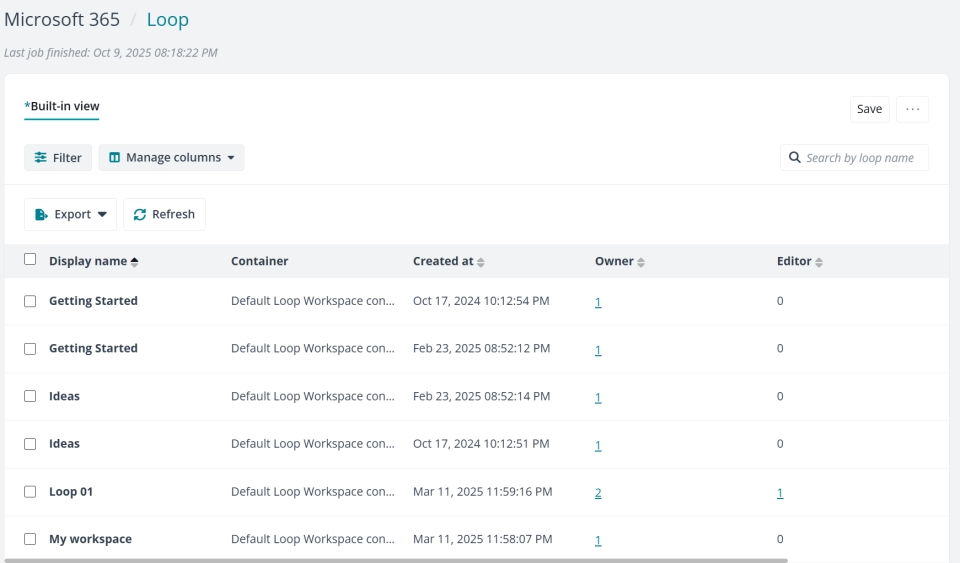
Delegated management now extends to Power Pages and Loop
Reporting improvements bring bulk exportable timeline reports and a new dashboard to visualize Copilot Studio metrics. These updates reinforce EnPower’s role as a central hub for responsive automation, granular governance, and actionable insights, helping IT teams reduce manual overhead and maintain control as digital workspaces evolve.
Policies and Insights
What’s new in AvePoint Policies for Microsoft 365?
AvePoint Policies now delivers greater control, automation, and customization to streamline governance across Microsoft 365 environments. A new Policy Builder Wizard simplifies policy creation with a guided, step-by-step interface for defining rules, scope, and scan schedules. Admins can now set custom scan intervals for resource-intensive rules, improving performance without disrupting broader policy execution. The new Restrict Member Removal rule helps safeguard Microsoft 365 Groups and Teams by allowing admins to define who is authorized to remove members. Any unauthorized removal attempts are immediately flagged as violations, which can either be automatically remediated or reviewed manually, giving admins full control over how to respond.
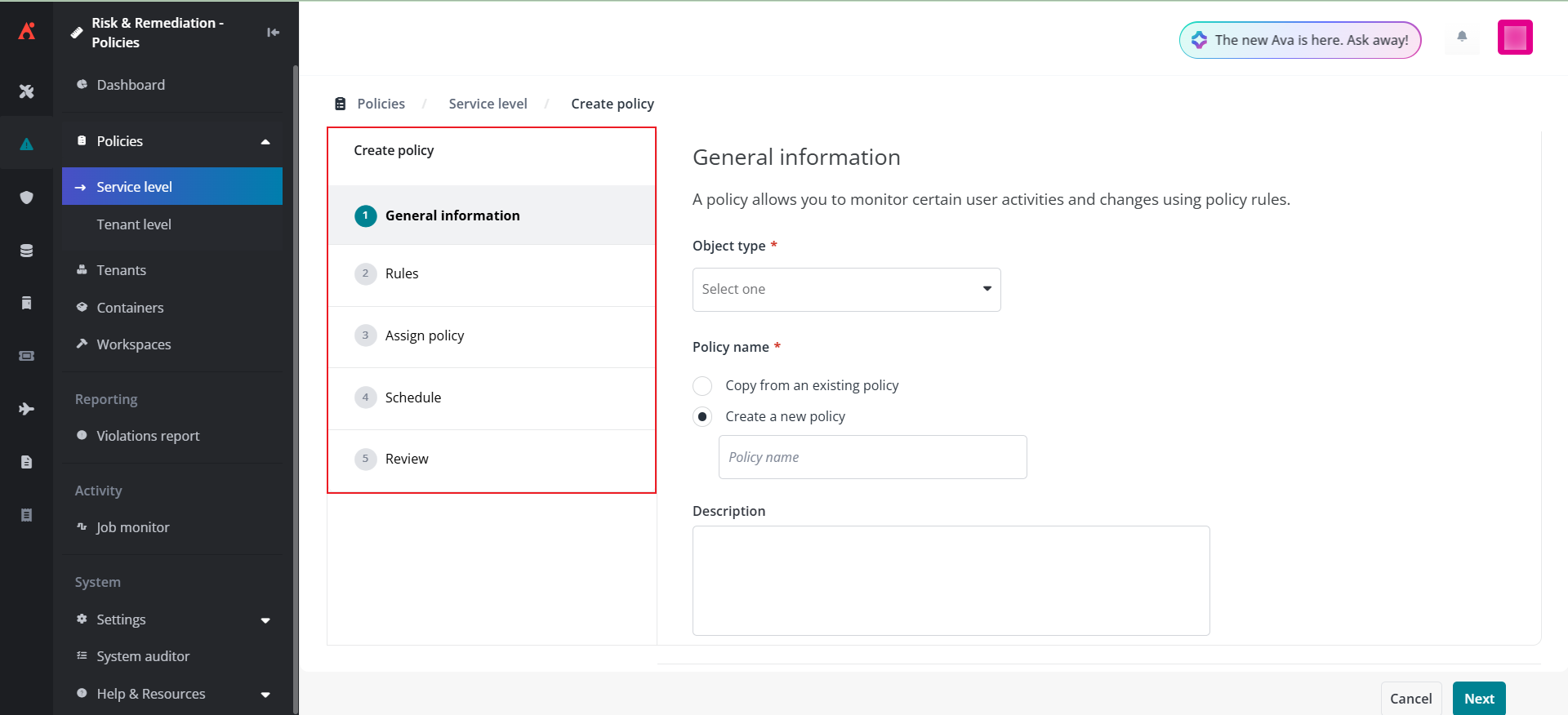
Create policies using the new policy builder wizard
To address gaps in site ownership, policies can now automatically assign the role to the most active contributor based on activity over the past 180 days, ensuring accountability and continuity. Policies also supports promotion of active users until a specified owner count is met, helping maintain governance standards even in dynamic collaboration environments. Additional enhancements include monitoring private channel sites within orphaned user scans and user/group restriction rules, expanding visibility into previously overlooked areas.
What’s new in AvePoint Insights for Microsoft 365?
AvePoint Insights introduces powerful new capabilities to unify data visibility and accelerate threat detection across multi-cloud environments. A newly released public API for Google Workspace enables organizations to export activity logs, access reports, and permission data for users, groups, and shared links, streamlining integration with existing security and analytics tools. With expanded Data Connectors, teams can now link platforms like AWS, Box, and Azure into a single workflow to scan for sensitive data and permissions as well as generate standardized reports across cloud ecosystems.
A new behavior-based risk detection feature, now in public preview, helps organizations identify suspicious activity using Microsoft Entra standards. It flags suspicious activity such as frequent login failures, invalid IP access, and abnormal file behavior like excessive deletions or modifications, enabling faster identification of threats and supports proactive remediation. The new overview page in Activity Explorer aggregates recent activity data, while bulk access removal actions and one-time policy execution from the Intelligent Remediation page empower teams to act swiftly without switching tools.
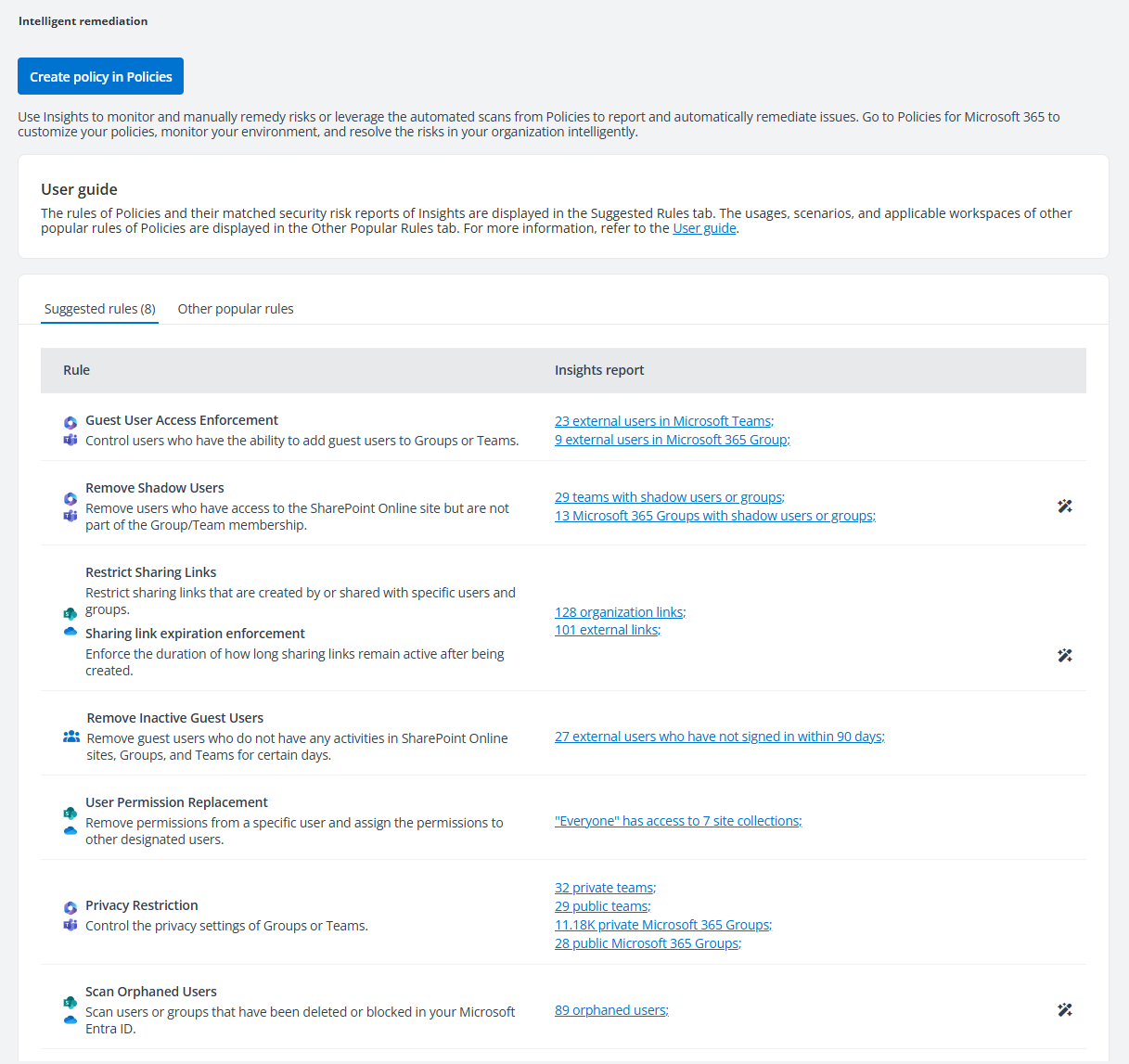
Run policies directly from the Intelligent Remediation page
Learn more about these updates
Already signed up for the Account Portal? You will have access to user guides, release notes, how-to videos, free trials, and more! All the information you need for this release is just a click away in the Portal. Signing up is easy and navigating is easier than ever.

Esther is AvePoint's Director of Technical Writing, with a specialization in communicating product updates and platform updates.